
How to Do Keyword Research
How to do keyword research: start from buyer language, expand real demand, read intent from the SERP, score commercial queries, and turn winners into cite-ready pages.
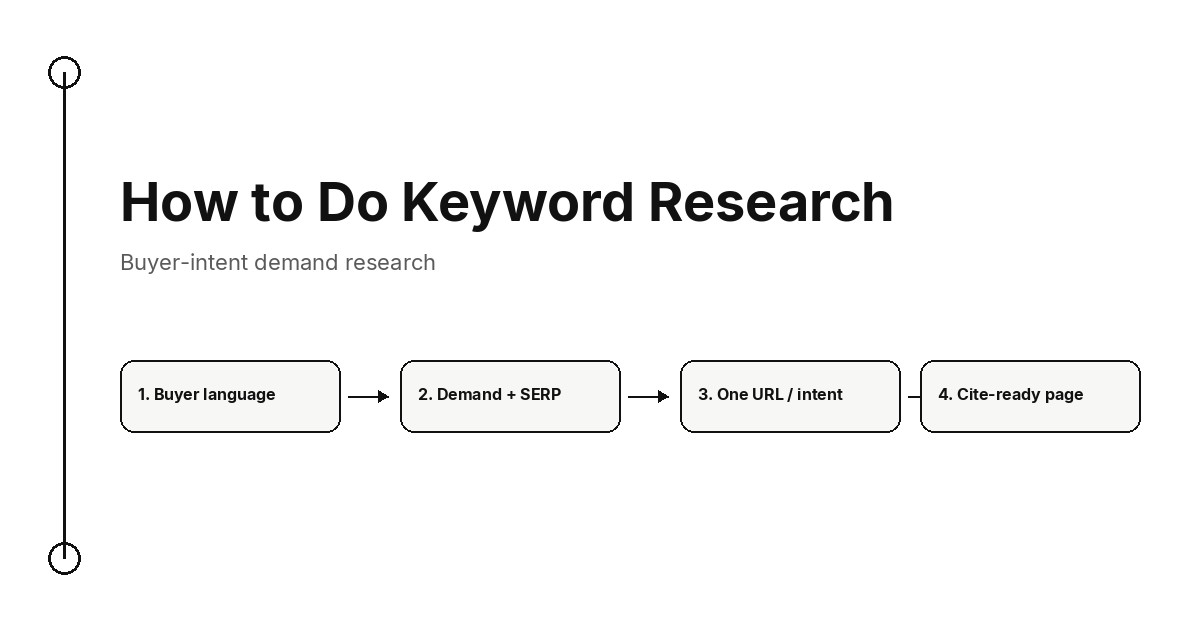
How to do keyword research: start from the language buyers already use, expand those seeds into real demand, read intent from the live SERP, keep commercial queries separate from research queries, score for business value and beatability, then assign one URL per intent and write cite-ready pages.
Keyword research is the work of finding demand you can serve. It is not a brainstorm, and it is not a spreadsheet of monthly search volume. The useful output is a shortlist of buyer jobs, each mapped to one page type a searcher (or an AI answer) can cite. This page is that method. The keyword research guide is the companion for scoring formulas and weekly cadence. The keyword research planner is the companion when you already have a queue and need an operating loop.
What keyword research is (and is not)
Keyword research finds the queries people type, groups them by the job they are trying to finish, and decides which of those jobs deserve a page on your site. Google's people-first content guidance asks whether the work satisfies the need. Research is how you name the need before you write.
That is different from three jobs teams often mix into the same tab:
| Job | What it answers | What it is not |
|---|---|---|
| Keyword research | Which buyer jobs deserve a new or rewritten page | A volume export, or a list of synonyms |
| Rank inspection | Which queries a URL already impresses for | A plan for pages that do not exist yet |
| Keyword clustering | Which queries share one SERP and one URL | The first pass that finds the demand |
Search Console is diagnostic. It shows queries Google already associates with you. The keyword clustering explainer is the grouping step after you have candidates. Come back here when the question is still "what demand should we research?" For SaaS teams that should start from product and billing language, the SaaS keyword research playbook is the narrower path.
Practical rule: if a row cannot name the buyer job, the page type, and the URL that will own it, it is not research yet. It is a suggestion.
Buyer intent versus search volume
Volume tells you a query is searched. It does not tell you whether the visitor is close to a decision you can support. Buyer intent is a query whose next step is a product decision: compare, price, switch, implement, or buy. Research intent is a query whose next step is a definition or a tutorial. Both can rank. Buyer-intent demand is the set you score first when the goal is pipeline, not pageviews.
A high-volume head term often attracts people who are still naming the category. A smaller "best X for Y" or "X vs Y" query often attracts people who already know the category and are choosing a vendor. CPC can hint at commercial pressure, but the live SERP is the evidence: if page one is comparison tables, pricing pages, and alternatives, the query is a buying job even when the tool labelled it informational.
Volume-first research produces a long list and a stalled calendar. Buyer-intent research produces a short list of pages that can earn a cite and a click from someone who can become a customer.
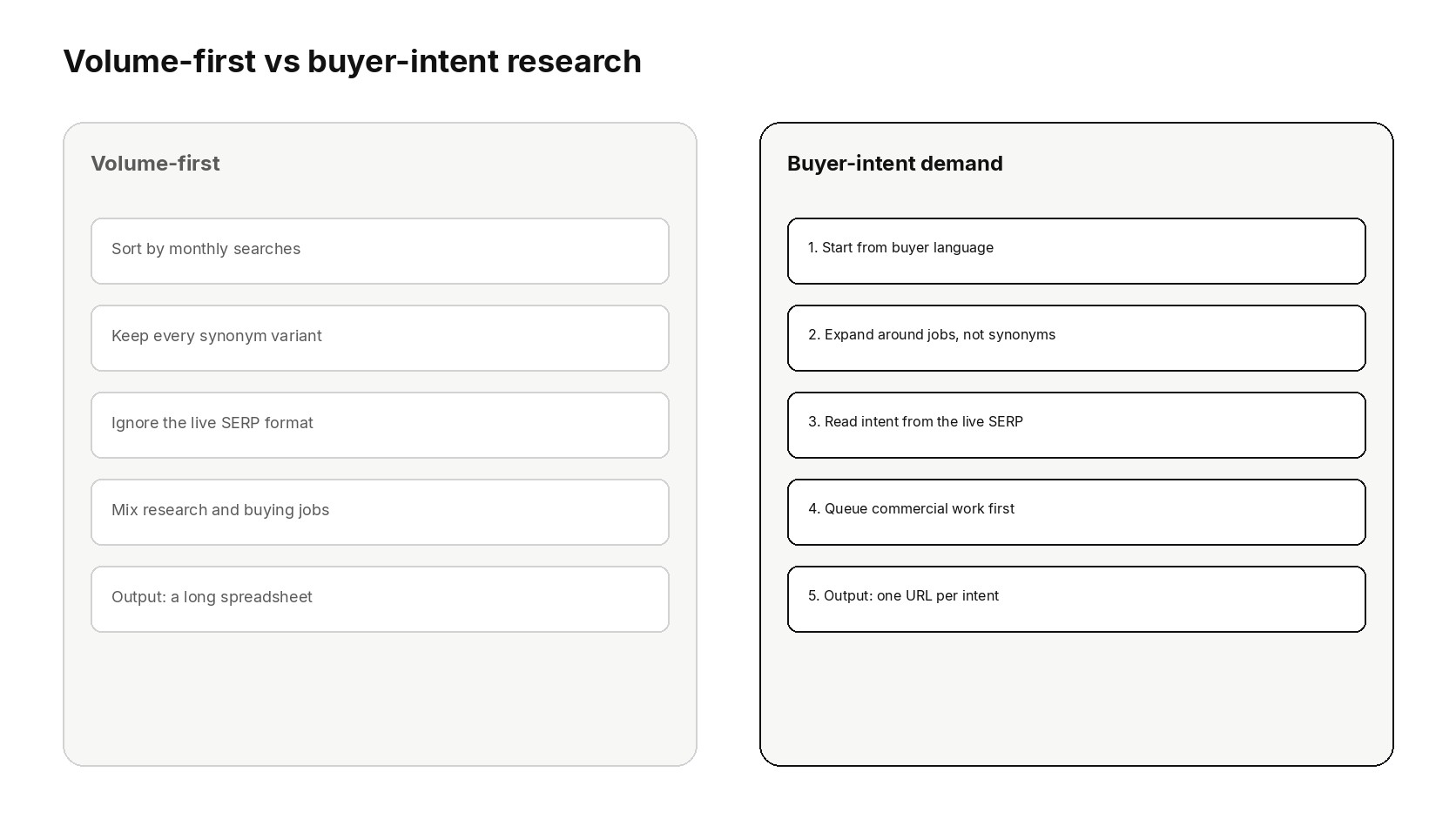
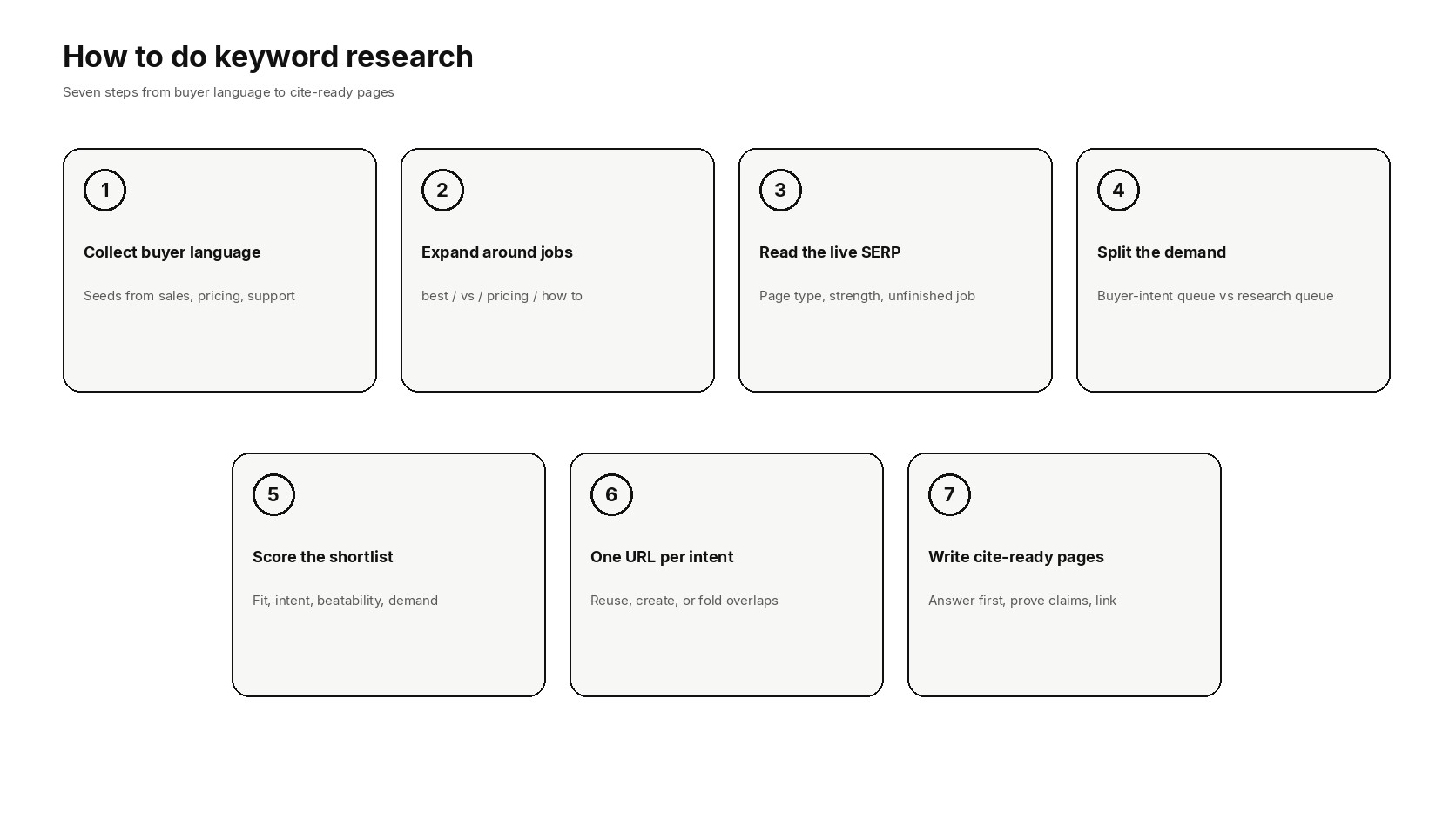
1. Collect buyer language as seeds
Do not open a keyword tool on a blank topic. Open the words buyers already use. Seeds from your own language beat a generic industry dump because they map to a page you can actually support.
Collect 15 to 30 seeds from:
- Homepage and pricing headings, including the nouns customers repeat back to sales.
- Onboarding emails, docs titles, and in-app empty states.
- Sales call notes and lost-deal reasons: the phrases people used when they said no.
- Support tickets and changelog items that name a job, not an internal feature name.
- Competitor keepers: titles and H1s on the pages that already win the commercial SERP.
Write each seed as a job, not a product slogan. "Invoice reminders for freelancers" is a seed. "Next-generation billing platform" is not. If you cannot hear a customer saying the phrase, drop it before expansion. A keyword gap analysis can add missing competitor coverage after this vocabulary exists. It should not replace it.
2. Expand demand around jobs, not synonyms
Expansion is how you find demand you did not think to type. Do it by job, not by thesaurus. For each seed, add the modifier families that change the job:
| Modifier family | What the searcher wants | Typical page type |
|---|---|---|
| best, top, for [audience] | A shortlist they can trust | List or category page |
| vs, alternative, instead of | A side-by-side decision | Comparison page |
| pricing, cost, free, trial | Whether they can buy it | Pricing or plan page |
| how to, setup, integrate | Whether they can make it work | Implementation guide |
| what is, meaning, definition | Whether they are in the right category | Glossary or explainer |
Then widen with related searches, People Also Ask, and Search Console queries that already impress on nearby URLs. Regex filters on queries in positions 11 to 20 often surface pages you can improve without inventing a new URL. That data is a gift when you have it. It is not a substitute for expansion on topics you have never targeted.
Stop expanding when new rows stop naming new jobs. A thousand near-duplicates of "best [category] tool" is one intent with noisy spelling, not a research win. The low competition keywords playbook is the filter when you need beatable queries inside that expanded set.
3. Read intent from the live SERP
A keyword tool's intent label is a guess. The live results are the contract. Open an incognito window, search the exact phrase, and write down the page types in the top ten organic slots. Ignore ads and sitelinks until you have named the organic format.
- Page type mix. Guides, comparisons, category pages, docs, or a single product page? Build the format Google already rewards.
- Who occupies the slots. Brands you cannot out-publish this quarter are a later problem. Weak or off-intent pages are a now problem.
- Features on the SERP. A featured snippet, People Also Ask, or an AI overview changes what the first screen of your page must answer. The SERP features opportunities guide is the companion when the feature itself is the opportunity.
- The unresolved job. What do the current pages leave unfinished: proof, pricing honesty, a worked example, a limit they will not name?
If the SERP is a mix of two jobs, the query is not one page yet. Split it, or pick the job you can finish and leave the other phrase for a sibling URL. Google's SEO starter guide is blunt about matching the page to what the searcher wants. Research that ignores the SERP produces a well-scored row and a page nobody clicks.
4. Separate buyer-intent demand from research demand
Keep two queues. Mixing them is how a definition article crowds out the comparison you needed this month.
- Buyer-intent queue. Compare, price, switch, implement for a paying audience, or choose a vendor. These pages need proof, limits, and a next step the product can support.
- Research queue. Define, explain, troubleshoot, or learn a skill. These pages can still be cite-ready. They should not steal the first build slot from a query that is already a purchase decision.
A research page earns its place when it is a necessary on-ramp: the visitor cannot decide until they understand the category. It does not earn its place because it has more volume than the comparison. Put the on-ramp in the topic, and keep the commercial URL as the page you measure against pipeline.
This split is also how you avoid writing two posts that answer the same buying job in different costumes. If "best X for startups" and "X tool comparison" return the same ten URLs, they share a page. If one SERP is a roundup and the other is a vendor-versus-vendor table, they do not.
5. Score for business value and beatability
Once the queues exist, the question changes from "what is searched?" to "what gets built first?" Score each cluster, not each spelling variant. A practical four-part score is enough:
| Signal | What you are judging | Fail the row when |
|---|---|---|
| Business fit | The product can finish the job the query names | You would have to invent a feature or a claim |
| Intent fit | The live SERP matches a page type you can publish | You would be forcing a blog post onto a comparison SERP |
| Beatability | Current results are thin, off-intent, or stale | Page one is strong brands with complete, recent pages |
| Demand | Enough searches exist to justify a keeper URL | The only evidence is a tool suggestion with no SERP and no customer language |
Weight fit and beatability above volume. A modest commercial query you can win this quarter beats a famous head term you will lose for a year. Difficulty scores from tools are a hint about link strength on page one. They are not a verdict. Open the results and look at the documents.
Write the score in a row a teammate can challenge: query, job, page type, fit, beatability, demand, and the URL you will use. If two people cannot agree on the job, you are not ready to write. The SEO content strategy playbook is the planning layer when the shortlist has to become a finite roadmap.
6. Assign one URL per intent
Every surviving cluster gets exactly one canonical URL. That decision is the research. Everything after it is production.
- Reuse an existing URL when the intent already has a page that can be expanded.
- Create a new URL when the job is real and no current page can finish it.
- Fold two URLs when they already split the same query. The cannibalization explainer is the decision guide for which URL keeps the links and the impressions.
- Keep a section, not a URL, when the question is a heading on a stronger keeper.
Do not mint location-token or synonym URLs to look thorough. Coverage is a new job the reader could not finish on an existing page. A cluster map on a whiteboard is a draft. The production test is a slug, a title, and an H1 that name the same job.
If you are building a wider subject, the topic cluster content strategy is the architecture for pillar and supporting URLs. This step is narrower: one intent, one URL, no leftovers sharing a SERP.
7. Turn the shortlist into cite-ready pages
A cite-ready page is one a searcher, a classic result, or an AI answer can lift without guessing. It leads with the recommendation, separates facts from opinion, and names sources next to measurable claims. That is the same bar Google describes for helpful pages, and it is the material answer systems can quote.
For each URL on the shortlist:
- Answer in the first screen. The lead should resolve the query. The rest of the page earns the click that stayed.
- Match the SERP format. Steps for how-to results. Criteria for comparisons. Definitions for glossary results.
- Prove the claims that can be proved. Link the primary source beside the number or the definition.
- Name the limits. Expertise shows up where the page says who the product is not for.
- Connect the URL. Point to the related keeper with an anchor that names the job, not "this guide."
Length is a side effect of finishing the job. A short comparison that makes the decision is stronger than a long article that restates the SERP. The guide to getting cited in AI answers is the companion when extractable passages are the goal. The work here is the same pages: they just have to start from demand you already validated.
From demand research to ranked pages
Keyword research ends when each surviving intent has an owner, a URL, and a page that can be cited. It does not end when the export looks complete. Refresh the buyer-intent queue from Search Console and from sales language. Drop rows whose SERP has hardened. Promote rows whose current results went stale.
For one-off checks of title, canonical, and robots on a candidate URL, the Orchory free SEO tools hub is enough. It does not replace the SERP review or the scoring row.
Orchory is built for the last mile of this loop: demand research that becomes a ranked queue of cite-ready pages in your site's design. The auto SEO tool workflow is the public description of that path. If you want a first page on your own domain before you decide, send your site.
Paid plans start at $990/mo when you move from that first page into ongoing production. Cancel anytime if the pipeline does not fit. The keyword-research test for any tool, including this one, is the same: does it add pages worth citing for buyer-intent demand, or another pile of volume with no owner?
