
How to Fix Soft 404 Errors
Fix Google Search Console soft 404 errors by confirming the empty or not-found body, then restoring unique content, returning a real 404 or 410, or 301ing to a close replacement.
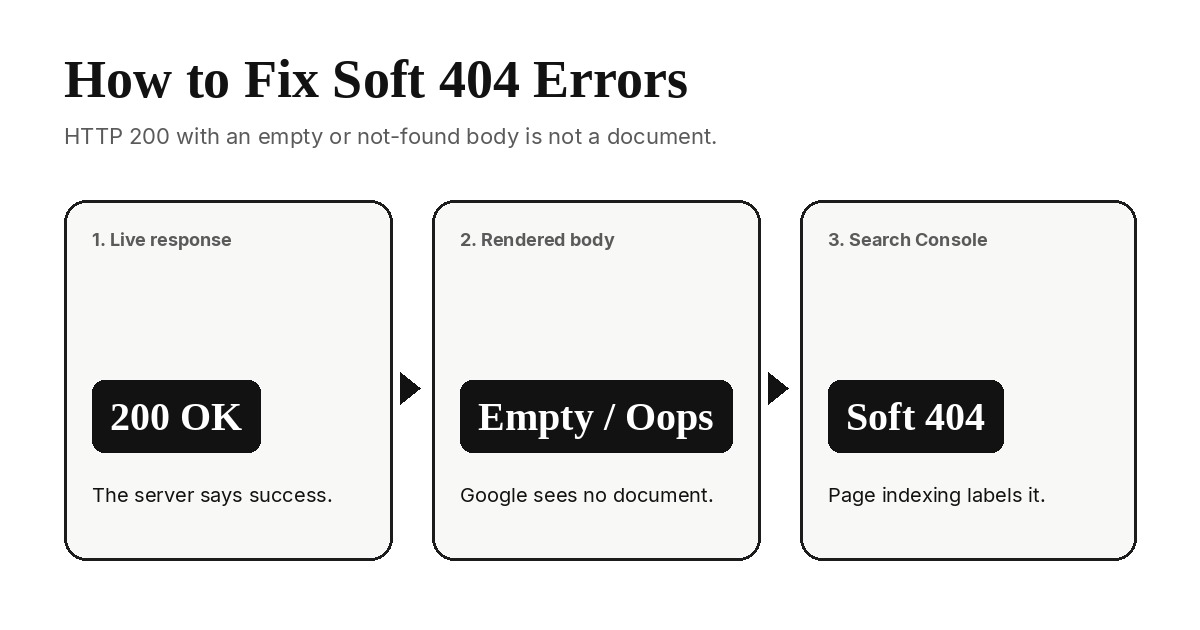
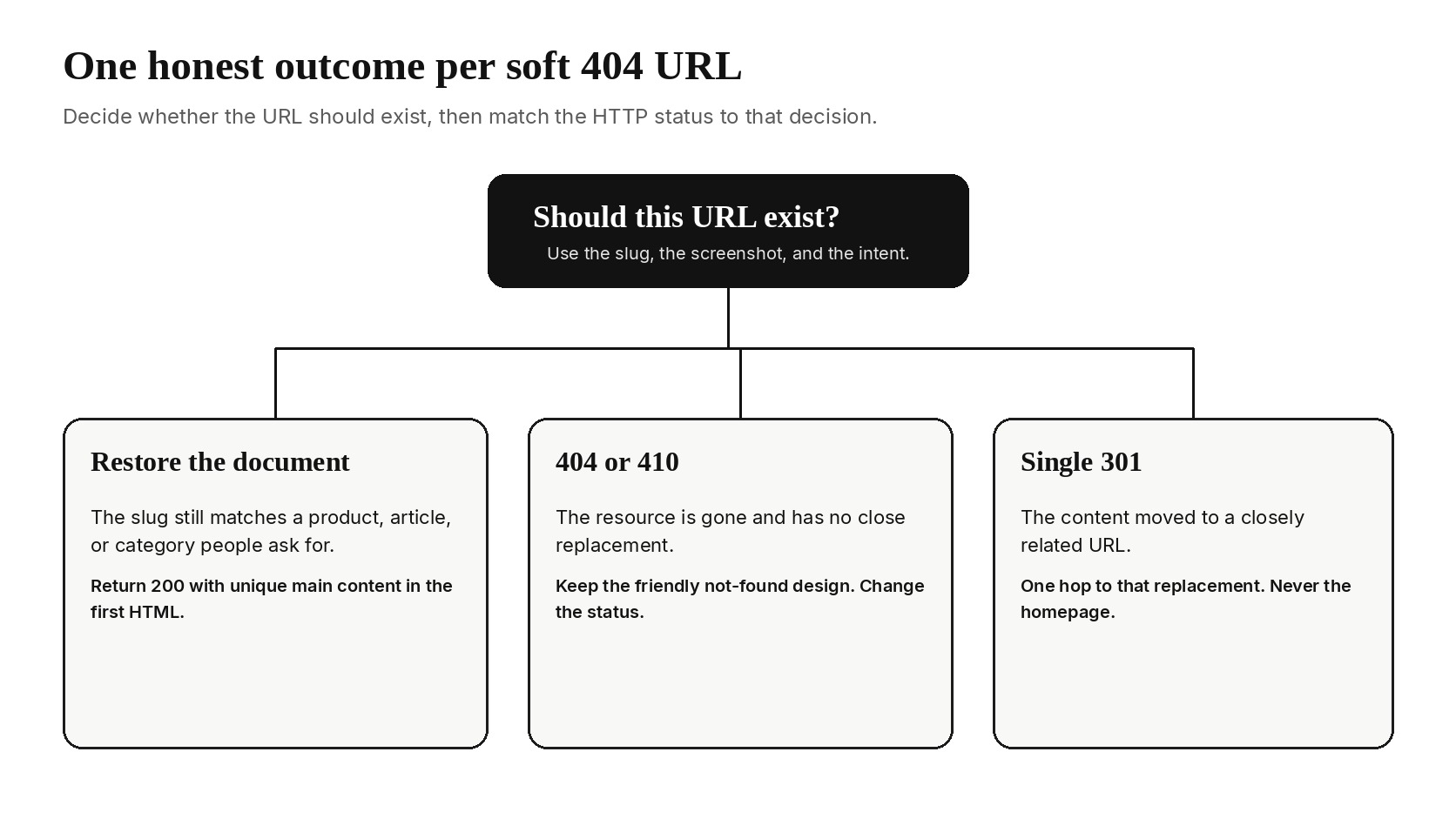
To fix soft 404 errors in Google Search Console, inspect the live URL, then pick one honest response: restore unique content, return a real 404 or 410, or send a single 301 to a closely related replacement. A soft 404 is a URL Google treats as missing or empty even though the server returned success, often HTTP 200, or dumped the visitor on a generic page such as the homepage. This page is only that bucket. Server errors, robots blocks, and redirect loops are a different job.
Google's HTTP status code guidance is explicit: a 2xx response still becomes a soft 404 when the body looks empty or like an error. The Page indexing report labels that row Soft 404. The work is to make the status and the document agree, then wait for a recrawl.
What a soft 404 is (and is not)
A soft 404 is a mismatch. The HTTP layer says the request succeeded. The document Google rendered says the resource is gone, unfinished, or generic. Search Console's own wording is a user-friendly "not found" message without a 404 HTTP code. Empty shells, thin placeholders, no-result search pages, and missing URLs that redirect to the homepage all land in the same bucket.
A hard 404 or 410 is the opposite contract. Google ignores that body, removes the URL from the index over time, and slows recrawls. That is the correct signal when the resource is gone. Google's 404 help says returning any other code for a non-existent page, or redirecting it to a generic page, creates a soft 404 and confuses both users and search engines.
A soft 404 is also not Crawled, currently not indexed. That row means Google fetched a real document and declined to store it. Soft 404 means Google does not believe a real document is there. Do not expand copy on a URL that still looks missing. Do not treat a 5xx spike or a robots block as a soft 404 either. Those are fetch failures. This playbook starts after Google already received a success-looking response.
If the URL should exist and rank, the visibility checklist on how to make your website show on Google covers discovery after the document is honest. Come back here first when the Page indexing reason is Soft 404.
How Search Console flags a soft 404
Open Indexing → Page indexing. Soft 404 sits in the "Why pages aren't indexed" table. The source is usually the website, which means you can fix it. Click the row for example URLs and a history chart. The sample list is capped, so treat it as a pattern detector, not a complete inventory.
Then open URL Inspection on one example:
- Read Page fetch and the last crawl time. A successful fetch plus a Soft 404 label is the classic pairing.
- Use Test live URL, then View tested page. Google's screenshot is the evidence, not your logged-in browser.
- Compare crawled HTML with rendered HTML when the route depends on JavaScript.
Search Console tells you to run that live test and look at the screenshot before you argue with the label. If the screenshot is a blank app shell, a "page not found" card, or the homepage, the classifier is doing its job.
1. Confirm the URL is a soft 404
Do not rewrite titles until the live response and the rendered body agree with the GSC screenshot. Confirm outside your office network as well as in the inspector.
- Fetch headers.
curl -sI https://example.com/missing-slugshould show the status and anyLocationhop. Soft 404s often return200 OKwith a full HTML body, or a 301/302 to/. - Fetch the first HTML.
curl -sthe URL and search for the main heading and a paragraph of unique copy. An SPA that ships<div id="app"></div>and nothing else is empty to a crawler that does not wait. - Open URL Inspection → Test live URL → View tested page. Match the screenshot to the curl body. If they disagree, you have a bot or geo rule, not a content task.
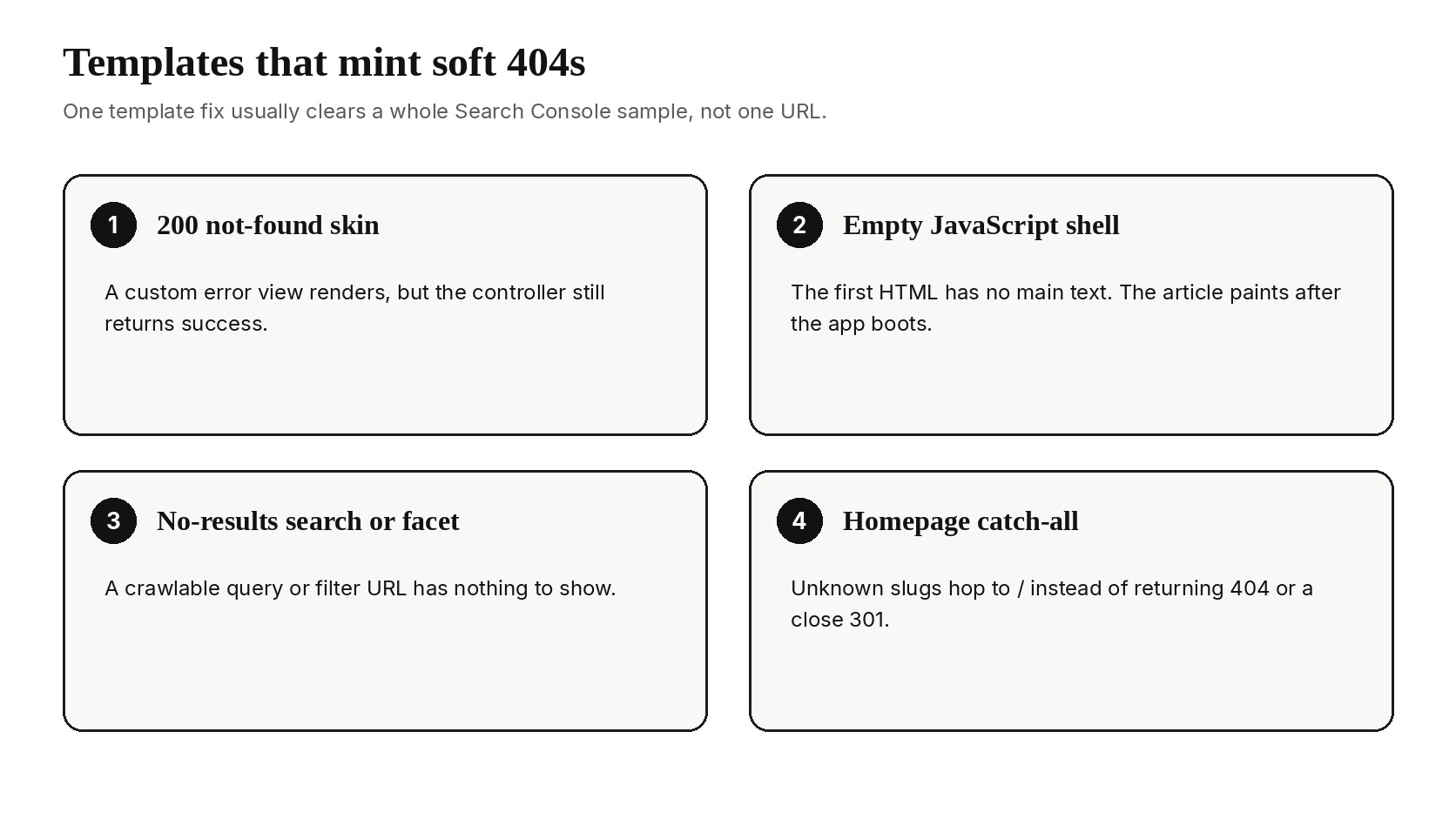
- Group the sample URLs by template. Soft 404s almost never arrive as one-off copy bugs. They arrive as a CMS 404 skin, a search route, a tag archive, a filter, or a client-side router.
Practical rule: one template fix clears dozens of Soft 404 rows. One homepage rewrite clears none of them.
2. Name the empty or not-found pattern
Name the pattern before you pick a status code. The same Soft 404 label covers several templates, and each template has one default fix.
| What Google rendered | Typical origin | Default fix |
|---|---|---|
| A designed "not found" page on HTTP 200 | Custom error view that never sets the status | Keep the design, return 404 or 410 |
| A blank app shell or spinner | Client-rendered route with no server HTML | Server-render the document, or 404 when it is gone |
| "No results" search, tag, or filter page | Empty query string or unused taxonomy | 404 or 410 empty archives; keep useful facets |
| Homepage or section hub after a hop | Catch-all redirect for unknown slugs | Stop the catch-all; 301 only to a close replacement |
| A stub with a title and no body | CMS placeholder, empty product, or thin tag | Write the page, consolidate it, or retire it |
Google's 404 help also flags two anti-patterns that keep the classifier firing: inventing filler so the URL looks "real," and blocking the URL in robots.txt so Google cannot see a true 404. Neither hides the problem. A robots block stops Google from reading a noindex or a 404 body you added later. Fake paragraphs on a missing product still read as an error page.
3. Choose one fix: restore, 404 or 410, or 301
Every Soft 404 URL gets exactly one outcome. Mixing them, 200 plus a canonical to elsewhere plus a homepage redirect, is how the label returns after the next crawl.
Restore the document when the URL should exist
Use this when the slug still matches a product, article, or category people ask for. The page needs unique main content in the first HTML response: a heading that names the topic, enough body to be a document, and no "oops" chrome. A title tag and a hero image are not a document.
Write the page you promised. If two stubs share one intent, keep one URL and point the other at it. The SEO content strategy guide is the place for that page-level choice. Soft 404 work only needs the outcome: one indexable document or an honest not-found.
Return 404 or 410 when the resource is gone
Keep the friendly not-found design. Change the status. 404 means not found. 410 means gone for good. Google currently treats them the same for indexing, so pick the one that matches the resource. Then remove the URL from the sitemap and from crawlable links. Google will recrawl it less often once the status stays 4xx.
Do not 401, 403, or 500 a missing page to "hide" it. Those codes mean something else. Do not noindex a 200 empty page as a shortcut. Google still has to fetch that URL to see the directive, and the body still looks missing.
Send one 301 only to a close replacement
A 301 is for a URL that moved, not for a URL you are tired of seeing in a report. The destination must answer the same intent: the new slug for a renamed post, the replacement product, the surviving category. Google's 404 help says a generic landing, especially the homepage, is a soft 404. One hop, HTTPS, and a 200 document at the end.
After the 301, inspect both the old and new URLs. Page fetch should show a single redirect and a successful final URL. Chains that bounce through www, then HTTPS, then a trailing slash still look sloppy and can fail inspection tools that do not follow every hop.
4. Fix the templates that mint soft 404s
Most Soft 404 counts are a template bug. Fix the template, then spot-check the sample URLs.
Custom 404 views that return 200
Frameworks make this easy to get wrong. The view is named 404. The layout is beautiful. The controller still returns 200 because a catch-all route rendered it as a normal page. Set the status in the same place you choose the view. In Laravel that is a 404 response or abort(404), not a fallback route that returns view('errors.404') with a 200. In WordPress, a proper 404 template already sends the status. A custom "not found" page built as a normal page does not.
JavaScript shells and client-only routers
If the first HTML has no main text, Google may classify the URL as empty even when a browser later paints an article. Server-render or prerender indexable routes. For unknown slugs, the origin should 404 before the app boots. After a deploy, re-test with curl and with View tested page. Your laptop executing JavaScript is not the test.
Empty search, tags, and facets
Internal search and faceted filters mint URLs for queries that have no results. If that URL is crawlable, Google will fetch it and call it a soft 404. Useful, populated filters can stay. Empty ones should 404 or stay out of crawlable HTML. Do not list them in the sitemap. Do not print a link to ?q=asdkjh just because a form can submit it.
Homepage catch-alls
A rewrite that sends every unknown path to / feels tidy in an edge config. It is a factory for soft 404s. Unknown paths should 404. Known moves should 301 to the replacement. The homepage is for people who asked for the homepage.
5. Clean sitemap and internal-link discovery
A fixed template still gets recrawled if you keep advertising the dead URL. Google already knows it. Your job is to stop reintroducing it.
- Regenerate the sitemap from indexable, canonical keepers that return 200. Drop retired slugs the same day you 404 or 301 them.
- Remove nav, footer, and in-body links to the dead path. The internal linking in HTML guide covers crawlable
<a href>exports and orphan targets. - If the URL was submitted, update the sitemap that listed it. Discovery in URL Inspection often points back to that file.
- Leave robots.txt alone for public 404s. Google needs to fetch the URL to see the honest status.
For a one-off header check (title, canonical, robots) on a suspect URL, the Orchory free SEO tools hub is enough. It does not replace curl or URL Inspection. The status code and the rendered body are the source of truth.
6. Verify in URL Inspection and validate the fix
Request indexing is a nudge, not a repair. Use it after the template and the discovery cleanup are live.
- Confirm the live status with curl: 200 plus a real document, 404 or 410 for a gone URL, or one 301 to a 200 replacement.
- Run Test live URL. Page availability and the screenshot should match the outcome you chose.
- Request indexing once for a keeper you restored. Skip it for URLs you retired.
- On the Soft 404 issue details page, click Validate fix after every sample pattern is handled. Google's validation help says the pass often takes up to about two weeks, and a single remaining instance fails the run.
If validation fails, open the URL Google still flags. Fix that template, then restart validation. Do not restart while empty 200s remain. A filter on a cleaned sitemap can make the check faster, because validation then covers the keepers you still care about.
Keep new routes from becoming soft 404s
Soft 404s return when a new route ships without a document, a status, or a link. Treat indexability as part of the page definition: status code, robots meta, canonical, crawlable navigation, and unique copy in the first HTML response. Empty CMS drafts should not be public. Catch-all routers should 404. Renames should 301 on the same deploy.
Orchory's job on this problem is the restored-document path: ranked opportunities that become structured, cite-ready pages so the URL is a real document the first time Google fetches it. The auto SEO tool workflow is the public description of that loop. If you want a first page on your own domain before you decide, send your site.
Paid plans start at $990/mo when you move from that first page into ongoing production. Cancel anytime if the pipeline does not fit. The soft-404 test for any new URL is the same: does it return an honest status and a document worth fetching, or another empty 200?
After you ship the template change, wait through a recrawl before you judge the Soft 404 chart. Compare the same host and the same URL prefixes. The win is fewer empty success responses, not a spike in "Request indexing" clicks.
