
How to Improve Crawl Budget
Improve crawl budget by cutting URL inventory waste: sitemap hygiene, parameter URLs, thin and duplicate pages, faceted navigation, and server speed so Google recrawls the pages that matter.
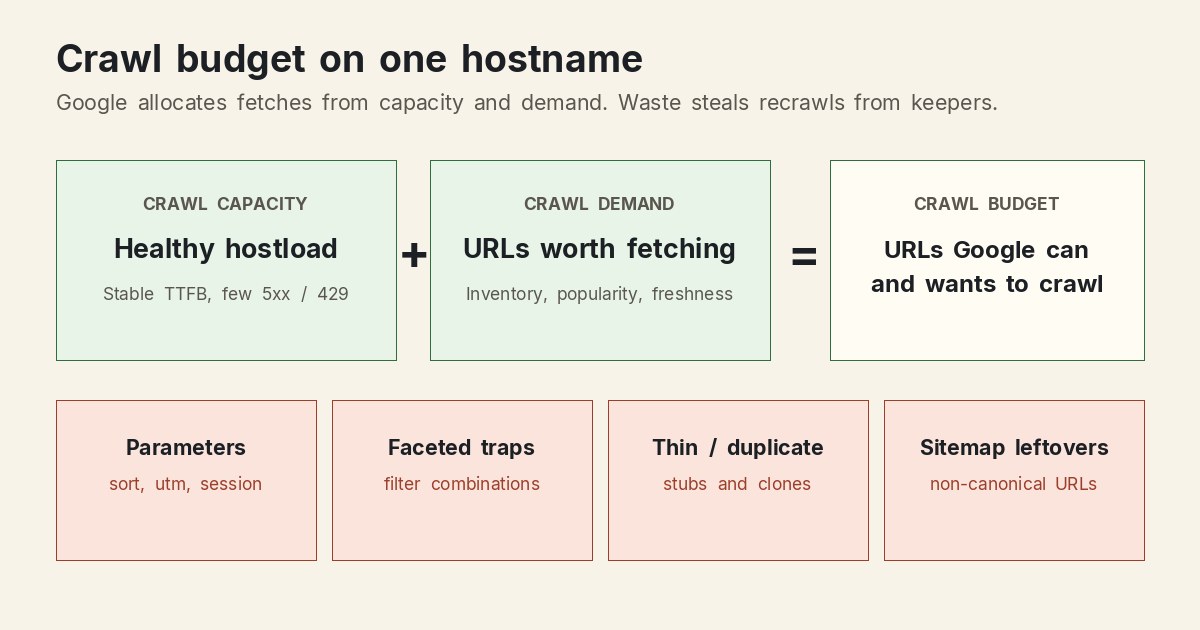
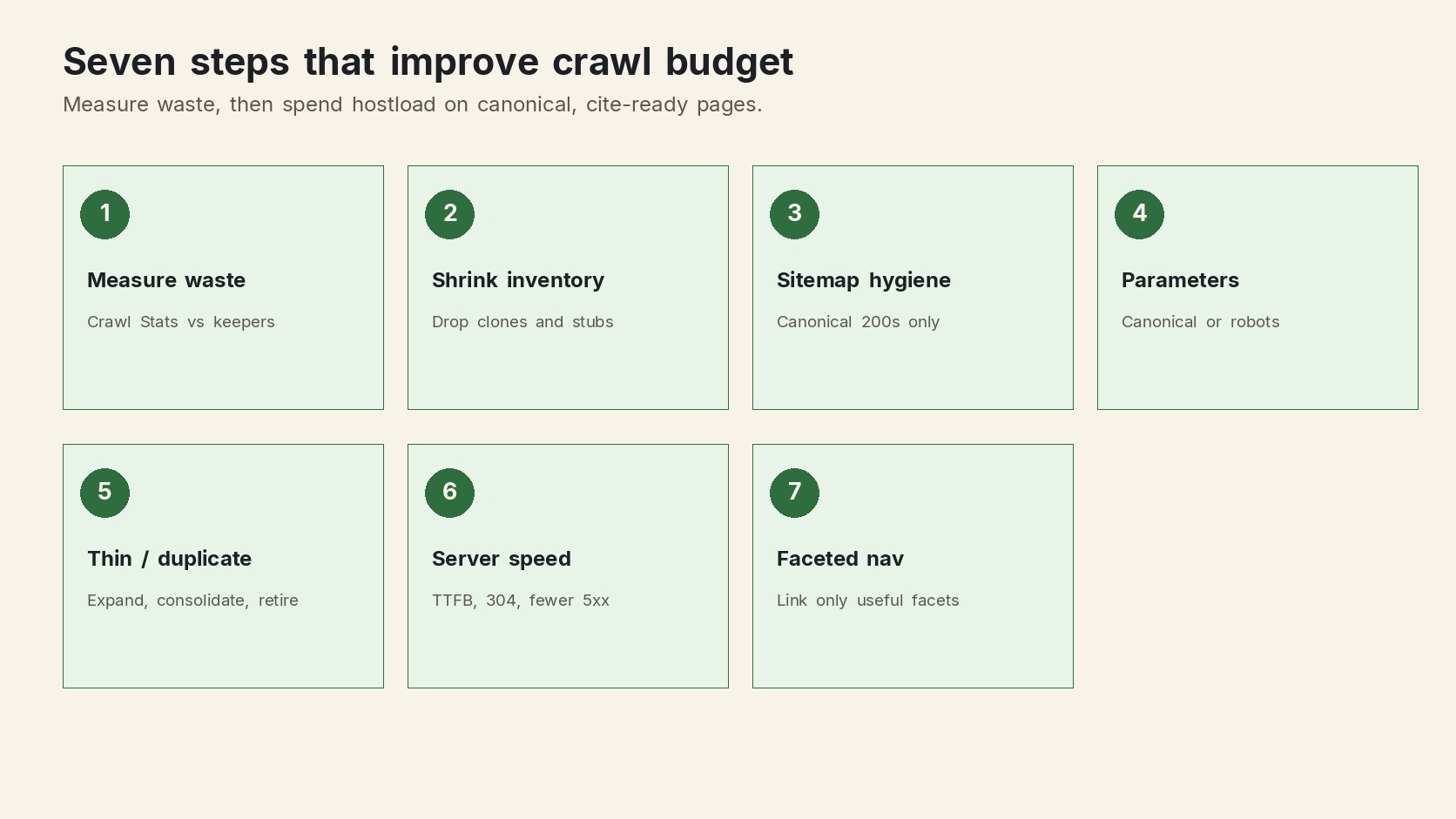
How to improve crawl budget: shrink the URL inventory Google already knows about, keep the sitemap to canonical keepers, stop parameter and faceted traps, retire thin or duplicate waste, and keep the host fast enough that crawl capacity can rise.
Crawl budget is not a Search Console error label. It is the set of URLs Google can and wants to crawl on one hostname, described in Google's crawl budget documentation. A URL that returns 200 can still waste that allocation if it is a sort variant, a filter combination, a stub, or a sitemap leftover. Fetch failures (5xx, redirect loops, blocked keepers) are a different job: they hurt crawl health. This page is about efficiency after the host can serve the page.
What crawl budget is (and is not)
Google treats a site as a unique hostname. https://www.example.com/ and https://docs.example.com/ have separate budgets. Two forces set the budget:
- Crawl capacity (hostload). How much time Google will spend holding connections open. Capacity rises when Time to First Byte stays stable and 5xx or
429responses stay rare. It falls when the host slows down or rate-limits. - Crawl demand. How many of the URLs Google already knows about are worth fetching again. Demand follows inventory size, popularity, freshness, and whether those URLs look unique.
Google can crawl a URL and still leave it out of the index. Budget work gets the right URLs fetched on a useful cadence. Indexing still depends on quality, uniqueness, and intent match.
If a new page never appears at all, start with discovery and access rather than budget math. The live playbook for how to make your website show on Google covers robots, status codes, and a crawlable path. Come back here once Google already knows too many URLs and is spending the crawl on the wrong ones.
When crawl budget actually matters
Google writes the official guide for three shapes of site:
- About 1 million unique pages that change around once a week.
- About 10,000 or more unique pages that change daily.
- Any size with a large share of URLs marked Discovered, currently not indexed.
Those numbers are estimates, not cliffs. A 200-URL brochure site almost never needs a crawl-budget project. A catalog, a faceted docs site, or a CMS that mints a URL per filter often does, even before the page count looks "enterprise."
The practical test is waste, not vanity scale. If Crawl Stats show Google fetching thousands of near-duplicate URLs while keepers sit in Discovered, currently not indexed, you have a budget problem. If Google recrawls your 40 public pages the same week you ship them, you do not.
1. Measure whether crawl is being wasted
Open Search Console → Settings → Crawl Stats and the Page Indexing report. You are looking for a mismatch between what you consider public and what Google spends time fetching.
- Export or screenshot host-level requests, average response time, and the mix of 200 / 3xx / 4xx / 5xx.
- List the URL prefixes that consume the most crawl (filters, search, pagination, campaign parameters).
- Compare sitemap URL count to the number of pages you would defend as canonical keepers.
- Note the size of Discovered, currently not indexed. A large bucket plus a noisy URL inventory is the classic waste pattern.
Server logs beat guesses. Sample Googlebot user-agents for a day and group by path pattern. If /products?color=, /blog?page=, and session IDs outnumber the clean slugs, the inventory is the leak.
Practical rule: fix the host if 5xx or
429responses are common. Capacity work comes first. Inventory work comes next. Do not add pages to a host that is already failing fetches.
2. Shrink the URL inventory
Google tries to crawl most URLs it already knows. The factor you control most is how many of those URLs should exist. Duplicate, sorted, filtered, and retired addresses inflate demand without adding unique content.
| Waste pattern | Why it costs crawl | Default fix |
|---|---|---|
| Sort and filter combinations | Each pair is a new URL with the same products or posts | Canonical to the clean list, or block the pattern in robots.txt |
| Tracking parameters | ?utm_, gclid, and session IDs clone otherwise good pages |
Self-canonical on the clean URL; strip parameters in the template |
| Thin stubs and empty tags | Google recrawls pages that cannot satisfy a query | Expand the keeper, consolidate overlaps, or return 404 / 410 |
| Faceted navigation | Filters multiply into a crawl trap | Link only useful facets; block the rest from crawling |
| Sitemap leftovers | Google keeps rediscovering URLs you no longer want | Generate the sitemap from canonical keepers only |
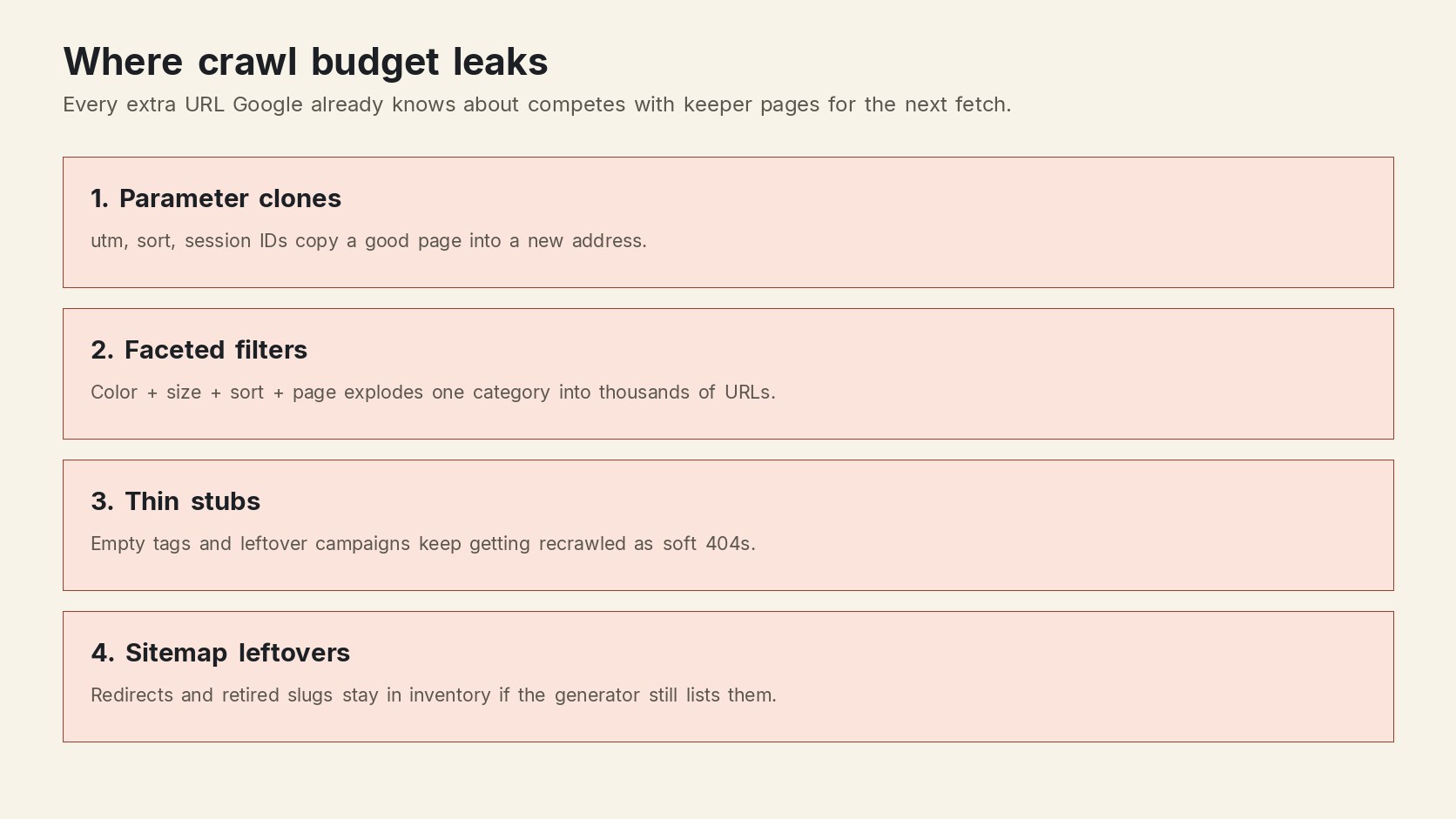
Google's own list matches this: consolidate duplicates, return 404 or 410 for permanently removed pages, and eliminate soft 404s that keep getting recrawled. A URL Google already knows is not forgotten just because you stopped linking it. A real not-found status is a stronger "do not fetch again" signal than leaving a blocked URL in the queue.
Internal links decide which keepers stay easy to rediscover. A clean inventory with orphan keepers still under-crawls the pages you care about. The internal linking in HTML guide covers crawlable <a href> paths, which no sitemap can replace.
3. Keep the sitemap to canonical keepers
A sitemap is a hint, not a crawl-budget increase. Google reads it regularly. If it lists redirects, parameter variants, staging leftovers, or retired stubs, you are asking Google to keep those URLs in inventory.
- Generate the sitemap from the same source of truth that defines public routes.
- Include only indexable, canonical URLs that return 200.
- Populate
<lastmod>from a real content or deploy timestamp so recrawl demand follows actual change. - Drop a URL the same day you canonicalize, noindex, or retire it.
- Split large sets with a sitemap index rather than stuffing every variant into one file.
Then compare the submitted count to the keeper count in your CMS or route table. A 4,000-URL sitemap for 400 keepers is a discovery leak. Submit the cleaned file in Search Console and watch whether parameter prefixes fade from Crawl Stats over the next recrawl cycles.
For one-off checks of title, canonical, and robots on a suspect URL, the Orchory free SEO tools hub is enough. It does not replace a sitemap generated from the live route list.
4. Contain parameter URLs
Parameters are the most common way a small site becomes a large URL inventory. Pagination, sort, filters, search, and campaign tags all mint addresses Google can discover from a single template.
- Decide which parameters change the content. A unique, indexable paginated archive may deserve a crawlable URL. A
?sort=priceview of the same list does not. - Emit a self-referencing canonical on the clean URL and point every clone at it.
- Keep clones out of the sitemap and out of crawlable nav. If a filter is useful for shoppers, it can still be a
noindexpage or arobots.txtblock for Googlebot. - Prefer robots.txt for infinite combinations. Google still fetches a
noindexURL to read the directive. That fetch is the waste you are trying to stop. Google's crawl-budget guide is explicit: do not usenoindexas a crawl-saving tool.
Search Console no longer offers the old URL Parameters tool. The controls that remain are yours: template canonicals, robots rules, and which links you print in HTML. If a parameter URL only exists after a client-side click and never in the initial HTML, crawlers that do not execute that path will not invent it. If you print every combination as a real href, they will.
5. Stop thin and duplicate URLs from eating recrawls
Thin and duplicate pages are usually discussed as quality problems. They are also budget problems. Google recrawls them, evaluates them, and often leaves them in Discovered, currently not indexed while a stronger keeper waits.
Treat each low-value URL as one decision:
- Expand when the topic is real and the page is the only one on it.
- Consolidate when two or more URLs share the same intent. Pick one canonical, move the unique sentences there, and point the others at it.
- Retire when the URL has no search role: empty tags, leftover campaigns, printer views, or doorway-style copies. Return 404 or 410 and remove the sitemap row.
Overlapping intent is the same pattern keyword cannibalization describes from the ranking side. If two keepers already split a query, what cannibalization is in SEO helps you choose the URL that should receive the crawl and the links. The budget win is the same decision: one URL per intent.
Soft 404s are a special case. A 200 that looks empty keeps getting recrawled. Either put the promised content on the URL or return a real not-found status.
6. Speed the host so capacity can rise
Capacity is the other half of the budget. Google starts conservative and raises hostload when responses stay healthy. Slow TTFB, rising latency, 5xx errors, and 429 responses push the limit down, which means fewer URLs fetched even if demand is high.
- Cache anonymous HTML at the edge so Googlebot is not waiting on a cold app render for every recrawl.
- Support
304 Not Modifiedwhen the page has not changed since the last crawl. Google can reuse the cached bytes and spend the request budget elsewhere. - Avoid long redirect chains. Each hop is another fetch before the keeper is even read.
- Keep rendering cheap: the HTML Google needs should exist in the first response, not only after a heavy client bundle.
Faster pages also let Google read more URLs in the same wall-clock window. That is a capacity gain, not a ranking trick. The SEO for developers guide treats crawl traps, sitemap trim, and performance as the same release checklist, which is the right grouping once you own the templates.
7. Close faceted navigation traps
Faceted navigation is how a catalog or a documentation index turns 200 keepers into 20,000 URLs. Color plus size plus sort plus page is a crawl trap: each combination is discoverable, most combinations repeat the same items, and Google will keep sampling them if you link them.
- List the facets users actually need in HTML (for example, a single "in stock" view that is a real landing page).
- Do not print crawlable links for every remaining combination. Filters that only exist as a client-side state do not enter the inventory.
- Block the leftover patterns in robots.txt when users still need the URLs.
- Canonicalize any facet that must stay in HTML back to the parent category unless the combination is a genuine, unique landing page.
Pagination is related but narrower. A paginated series of unique items can be crawlable. A paginated view of the same 12 products sorted four ways is inventory waste. Prefer rel=prev/next only as a human aid; Google has not used those hints as a crawl directive for years. The durable signal is still: which URLs exist, which are linked, and which are in the sitemap.
Spend the saved crawl on cite-ready pages
Cleaning inventory only pays off if the remaining URLs deserve the recrawl. Cite-ready pages answer one query in extractable language, show their evidence, and sit on a crawlable internal path. A faster host that recrawls more stubs still wastes the budget.
Orchory is built around that last mile: ranked page opportunities that become structured, cite-ready articles in your site's design. The auto SEO tool workflow is the public description of that loop. If you want a first page on your own domain before you decide, send your site.
Paid plans start at $990/mo when you move from that first page into ongoing production. Cancel anytime if the pipeline does not fit. The crawl-budget test for any tool, including this one, is the same: does it add keeper pages worth fetching, or another pile of thin URLs?
After you ship a hygiene change, wait through a recrawl cycle before you judge Crawl Stats. Compare the same host, the same prefix list, and the same keeper URLs. The win is Google spending more of a healthy hostload on the pages you would actually cite.
