
Why Your Site Isn't Showing on Google (And How to Fix It)
A developer's guide to why pages don't show on Google: crawlability, indexing, GSC diagnostics, on-page basics, and AI Overviews.

You ship v1 on Friday. On Monday, you search the brand name, the product name, and the exact homepage title. Nothing appears. The app loads perfectly in your browser, so the first instinct is to blame Google. In practice, the failure is usually closer to the code: Googlebot can't reach the page, can't find a path to it, can't read its content, or has been told not to index it.
"Showing on Google" also has a wider meaning now. A page can appear as a classic result, provide a source for an AI Overview, answer a featured snippet, or earn an impression without generating a visit. The job is to make important pages discoverable, indexable, understandable, and worth surfacing, then measure which form of visibility you're earning.
Why Your Site Is Invisible and What Google Actually Needs
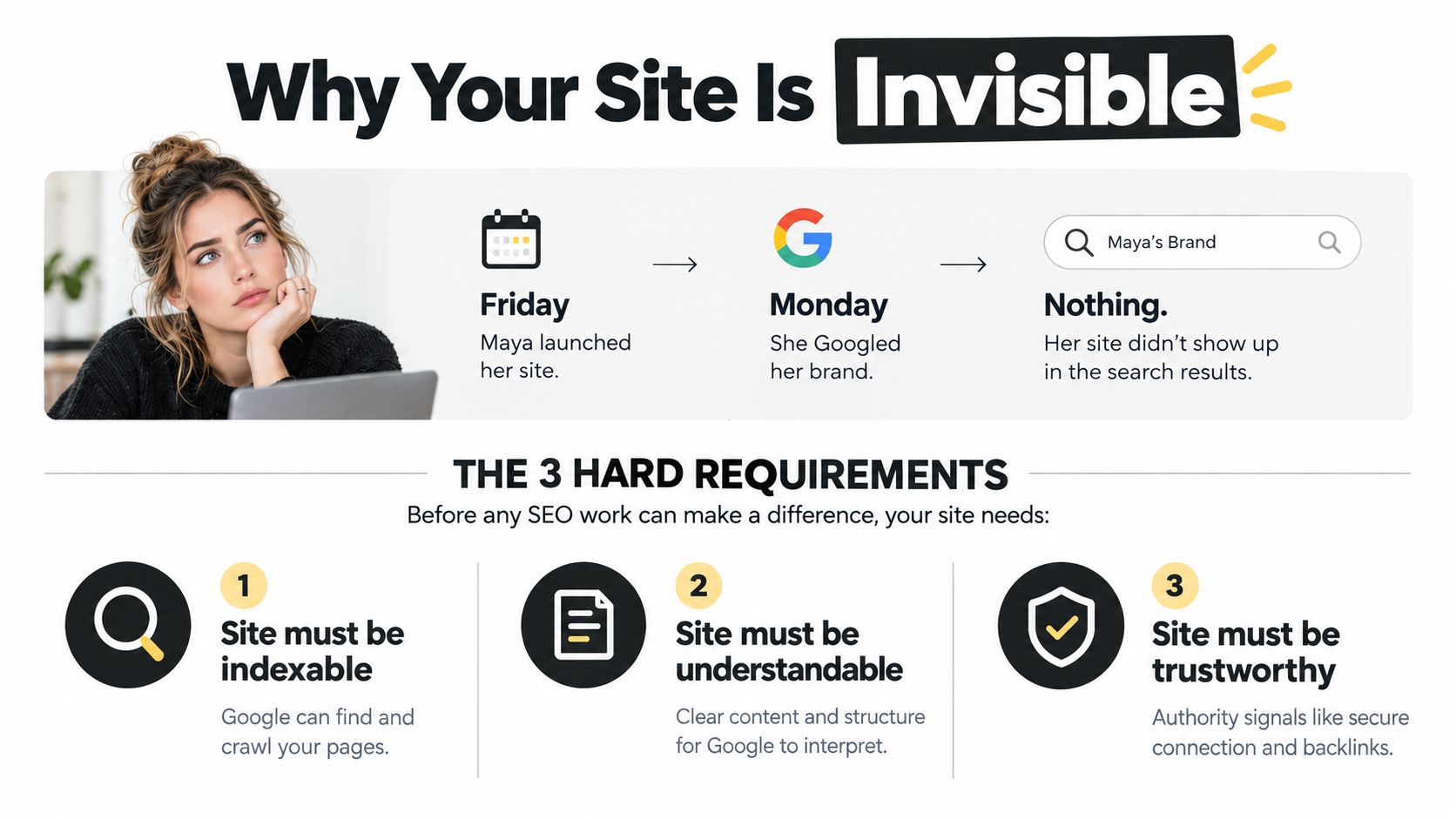
Maya launched her first SaaS version on Friday. The custom domain resolved, the landing page looked polished, and the launch post went out on social media. By Monday, a branded search still returned nothing. Her site wasn't broken for customers. It hadn't met the conditions needed for Google to include it.
Google's technical requirements for appearing in Search are straightforward. Googlebot must not be blocked, the page must return an HTTP 200 success status, and the page must contain indexable content. Miss any one of those and later work on keywords, links, or schema won't rescue the URL.
A reachable page also needs a crawlable route. A new URL should be linked from a discovered page, such as the homepage, documentation, navigation, or a relevant product page. An orphan page sitting only in a deployment manifest has no useful path for a crawler to follow. A social launch can bring people to the URL, but it isn't a substitute for an internal link or a submitted sitemap.
Check the response, access, and rendered content
Run the URL through a browser and an HTTP client, then inspect the output Google can receive. A custom domain doesn't trigger indexing. A page that returns a success response but serves an empty client-rendered shell may leave Google with little indexable content. If the useful copy appears only after a JavaScript action, inspect the rendered HTML in Search Console before assuming the content is visible to Googlebot.
Look for accidental controls too. A noindex meta tag or an X-Robots-Tag: noindex response header can remove a public page from search. Google distinguishes these controls clearly: robots.txt prevents crawling, while noindex prevents indexing. Blocking a URL in robots.txt doesn't reliably stop indexing if Google discovers the address elsewhere, and it also prevents Google from reading the page to process a noindex directive.
Practical rule: Treat every new marketing URL like a production feature. Test access, status, rendered content, internal links, and index directives before you wait for search visibility.
The original PageRank idea is still useful as a mental model. Larry Page and Sergey Brin developed it at Stanford in 1996 and described it publicly in 1998, treating hyperlinks as votes and using link structure to assess authority, as documented in this history of Google and PageRank. Technical access gets a page discovered and eligible. Relevance and referenced usefulness help it compete.
That distinction matters for AI Overviews and other answer surfaces too. You aren't only trying to reach the blue-link results. You're trying to make the page clear enough to retrieve, cite, and trust when Google answers the query without requiring a click.
Wiring Up Google Search Console, Sitemaps, and Robots
Set up the discovery layer as one deployment task. Start with a Domain property in Google Search Console and verify ownership through a DNS TXT record. A Domain property covers protocol and subdomain variants, unlike a URL-prefix property that begins from one specified URL path.
Next, generate an XML sitemap from the same source of truth that builds your pages. Include public, canonical URLs only. Populate <lastmod> from the content or deployment pipeline, not from a hardcoded date that changes on every build. Google says sitemaps help discover URLs but don't guarantee crawling or indexing, so the sitemap is a map, not an admission ticket.
Open Search Console, choose Indexing, then Sitemaps, enter the sitemap path, and submit it. Compare the discovered URL count with the pages your application considers public. A mismatch is useful evidence. It can reveal excluded routes, accidental noindex directives, staging URLs, or a generator that doesn't know about your newest templates.
The exact sitemap interface is less important than the validation loop around it. Search Console's Sitemaps report guidance explains that submitted sitemaps are processed separately from the normal crawl schedule and can report discovered and indexed URL information. For large sites, sitemap index files let you split URL groups into manageable sets.
Keep robots and canonical signals boring
Your robots.txt should allow crawling of public assets such as /assets/ when those files help Google render or understand pages. Disallow only genuine private or staging paths. Don't use it as a shortcut for removing public URLs from the index.
For canonical handling, emit a self-referencing <link rel="canonical" href="..."> on each primary public page. For parameterised, filtered, or paginated variants, decide whether the URL represents unique content. If it doesn't, point the rel=canonical link element to the clean version and keep duplicate variants out of the sitemap. Also inspect the X-Robots-Tag header, because server configuration can override what your template appears to allow.
A practical SEO workflow for developers should live beside the build process, not in a spreadsheet nobody checks. After navigation, routing, domain, or URL structure changes, regenerate and resubmit the sitemap, then inspect representative URLs. Google specifically recommends using a sitemap with <lastmod> to communicate many new or updated pages instead of submitting each URL individually.
On-Page SEO Basics a Developer Can Ship in a Day
On-page SEO works best as a template contract. Fix the layout once, then let every page inherit the correct title, description, heading structure, links, structured data, and image attributes. The code review should catch missing fields before the page reaches production.
The title should identify the page's subject rather than repeat the brand. Keep it concise, put the primary topic near the front, and make each route distinct. A meta description should sell the outcome of visiting the page, not duplicate its opening paragraph. It can be generated from page data, but it still needs human review for important routes.
Use the page structure to answer the query
Give each page one H1 that matches its search intent. Follow it with H2 headings that reflect the questions a buyer or developer would ask. A comparison page needs comparison sections. A glossary page needs a direct definition. A use-case page needs the workflow and the product fit, not a generic explanation of the category.
Internal links should name the destination. "Read the API monitoring guide" gives a crawler and a reader more context than "click here." Add links where the next page helps, then confirm the linked destination returns a successful response and has a canonical URL.
Structured data belongs in JSON-LD and must match visible content. Use Article, Product, or Organization only when the page represents that entity. Schema isn't a replacement for content, and invalid or mismatched markup creates maintenance work without improving the page.
| Element | Bad Example | Good Example |
|---|---|---|
| Title tag | Acme |
API Monitoring for SaaS Teams | Acme |
| Meta description | First paragraph copied unchanged | Monitor API failures, trace incidents, and give engineers a faster path to diagnosis. |
| H1 | Welcome to Acme |
API Monitoring for SaaS Teams |
| Internal link | Click here |
Read the API incident response guide |
| Structured data | Product schema on a blog article | Article JSON-LD matching the visible author, title, and date |
| Image alt text | dashboard image |
API latency dashboard showing failed requests by endpoint |
Image alt text should describe the subject and its function. That supports accessibility and gives Google Images useful context. Your template should require an alt value for meaningful images and an empty alt attribute for decorative ones.
Use Orchory Free SEO Tools when a lightweight SEO utility fits the workflow, but don't let any tool replace checking the rendered page and its source data. The durable fix is usually in the template, route, or content model. Once those fields are enforced there, future posts inherit the correction instead of repeating the same audit.
Diagnosing Crawl and Index Issues Inside GSC
Open Google Search Console, Indexing, Page Indexing before changing content at random. This report shows which URLs Google has crawled and indexed, plus the explicit exclusion reason for other URLs. Treat it as the primary diagnostic layer, then use URL Inspection to examine a specific page.
Start with the largest exclusion bucket that has a clear fix. Noindex tag is usually direct: remove the directive from the HTML or X-Robots-Tag header if the page should be public. Blocked by robots.txt requires a crawl rule change, followed by a check that no other directive still prevents indexing. Redirect error means the redirect chain or destination needs repair.
Match each status to the smallest deploy
Crawled, currently not indexed usually calls for a stronger page, clearer intent, or better internal linking. Don't respond by requesting indexing repeatedly. Discovered, currently not indexed points more often to weak crawl paths, a large URL set, or poor discovery signals, so link the page from a relevant discovered route and verify its sitemap entry.
Soft 404 means the page looks empty or unavailable even if the server returns a success response. Add the promised content, or return a real not-found response if the resource doesn't exist. Duplicate without canonical requires a clean canonical decision. Alternate page with proper canonical may be working as intended, because Google has selected another version as the primary URL.
| Exclusion Reason | Typical Cause | Fastest Fix |
|---|---|---|
| Crawled, currently not indexed | Thin, unclear, or duplicative content | Improve the page's unique answer and internal links |
| Discovered, currently not indexed | Weak crawl path or excessive URL set | Add a contextual link and confirm sitemap inclusion |
| Soft 404 | Empty template or unavailable content | Add useful content or return a true not-found response |
| Noindex tag | HTML or header directive | Remove noindex from the public route |
| Blocked by robots.txt | Crawl rule blocks the URL | Allow crawling of the needed path |
| Redirect error | Broken or conflicting redirect | Fix the chain and inspect the destination |
| Duplicate without canonical | Similar URL variants | Select and emit the canonical URL |
| Alternate page with proper canonical | Google chose the declared primary | Confirm the canonical page is the intended version |
URL Inspection exposes the last crawl, indexed status, and the difference between crawled and rendered HTML. Check whether JavaScript fills the main content, links, title, or canonical after load. If the rendered result lacks what users see, fix server rendering or hydration rather than rewriting metadata around an empty shell.
After a real fix, request indexing for the inspected URL when appropriate, and use the sitemap for groups of updated pages. If a page remains excluded after two genuine resubmits, stop resubmitting. The page, its intent, its duplication, or its internal importance is the problem, not the button.
For teams diagnosing competing pages, this guide to keyword cannibalization helps separate duplicate intent from ordinary indexing problems. Two pages targeting the same question can make the correct canonical and ranking target unclear.
Showing Up in AI Overviews When Clicks Are Disappearing
A first-page result no longer guarantees a visit. In 2026, AI Overviews appeared on 48% of Google queries, and one analysis reported a 61% organic click-through-rate decline when they appeared, while another found declines ranging from 34% to 61% depending on position, as reported in analysis of AI Overview traffic impact. The same page can preserve impressions while losing clicks because the answer is displayed before the result.
A separate analysis of zero-click searches and AI Overviews reported that zero-click searches account for 60% of Google searches overall and 83% when AI Overviews are present. Those figures change the operating question. Don't ask only whether a page ranks. Ask whether it is visible, cited, and useful enough to earn the click that still exists.
Write pages that can be lifted accurately
Three content patterns make a page easier to retrieve and quote:
- Definition blocks: Answer "What is API monitoring?" in a concise paragraph near the top, then expand with details and examples.
- Intent-shaped steps: If the query asks how to configure something, use a numbered sequence that mirrors the task rather than burying instructions in prose.
- Cited evidence: Put source-linked statistics and factual claims next to the statement they support, so a system can identify the evidence and attribution.
Use an H2 phrased as a question, a one-sentence answer in the first 50 words, and supporting evidence immediately afterward. For example, an H2 such as "How do you submit a sitemap to Google?" should be followed by a direct answer, then the exact Search Console path, validation checks, and limitations. This structure also helps human readers scan.
The useful KPI is not rank in isolation. Track impressions, clicks, branded demand, assisted conversions, and whether your company appears as a cited source for important questions.
Rank trackers won't reliably show every answer-layer appearance. Add brand-mention monitoring, manual checks for priority queries, and Search Console query review. Prioritise pages that explain complex product decisions, implementation details, comparisons, and original evidence. Those pages have more reason to earn a visit than a generic definition that Google can answer completely.
A Weekly SEO Loop You Can Actually Maintain
A small team can run a repeatable Monday loop without turning SEO into a reporting project. Keep a backlog of changes that can be shipped as code, content, or internal links. The work should end with a merged improvement, not a dashboard screenshot.
Four focused blocks
First, spend 15 minutes in Search Console. Check Page Indexing for new exclusions, inspect the top ten URLs by clicks, and flag unusual performance drops. Open URL Inspection for a changed page when the numbers and deployment history don't agree.
Next, spend 15 minutes in Search Performance. Find queries where a relevant page sits between positions five and fifteen, then write one concrete change for each selected page. That might be a clearer definition, a missing comparison, a stronger internal link, or a title that matches the query more closely.
Then, spend 15 minutes in Analytics 4. Review landing-page engagement, bounce signals, and scroll depth for pages that earn impressions or clicks but fail to move users toward the next action. A ranking page with weak satisfaction may need a better answer, not more keywords.
Use the final 15 minutes to ship. Choose one technical fix, one contextual internal link, and one schema or content update from the backlog. If a change needs a larger pull request, define the smallest reviewable slice and assign it rather than leaving it as an audit note.
Keep prioritisation outside your head
The backlog should connect opportunity, intent, page type, and implementation effort. Orchory can run keyword expansion, validation, clustering, scoring, and queue refresh, then produce ranked page opportunities and ready-to-run prompts for coding agents such as Claude Code, Codex, or Cursor. Your team keeps control through pull request review, and its Google Search Console integration can reflect outcomes over time.
That division of labour is practical: the system handles recurring research and prioritisation, while developers decide what enters the repository. Review the queue on Monday, select one buildable item, and leave the next priority logged before the session ends.
Orchory turns SEO opportunities into a ranked queue and prompts that a coding agent can use to open reviewed pull requests. Visit Orchory to connect the research and shipping steps without giving an SEO system direct control of your site.
