
How to Write SEO Title Tags
Write SEO title tags for the click and the job, then fit pixel width. Character count is a truncation check, not the writing method.
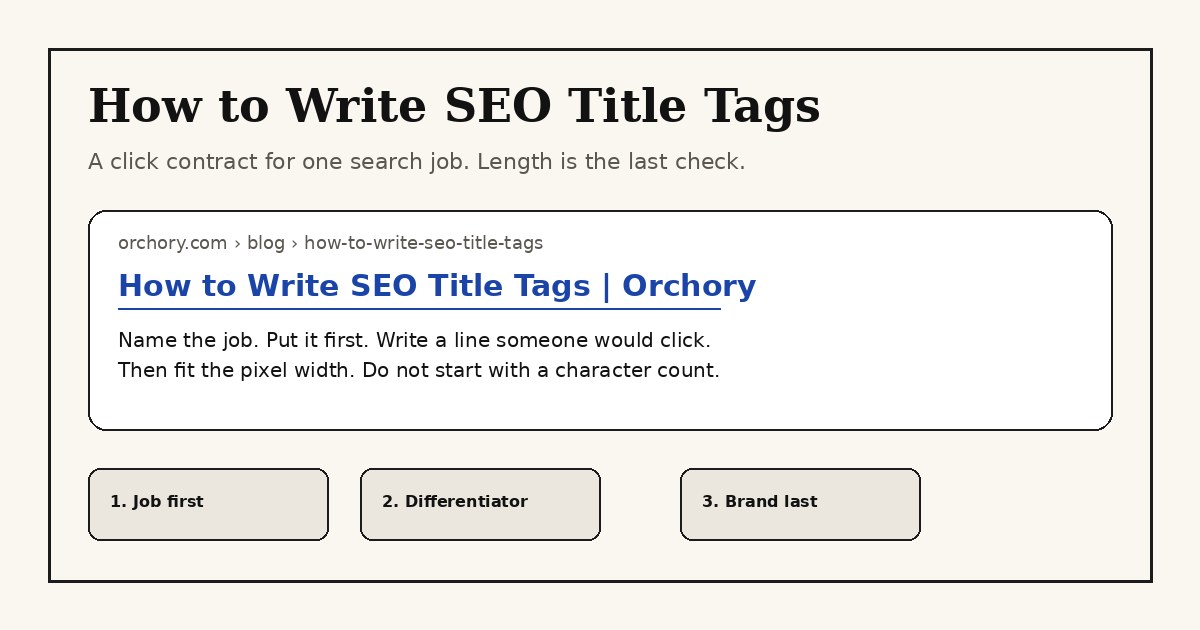
How to write SEO title tags: name the job the searcher is trying to finish, put that job first, write a line they would click, then fit the pixel width. Character count is a truncation check after the writing, not the method.
A title tag is the <title> element in the document head. Google may show it as the blue title link, or it may build that link from the H1, other prominent text, or og:title. The writing job is the same either way: one URL, one intent, one line a person would choose. This page is that method. The meta tag checker is the inspection step for a title that is already live. The DIY SEO playbook is the wider on-page loop this title sits inside.
What a title tag is (and is not)
A title tag tells a searcher, a crawler, and a browser tab what the page is for. Google's title link guidance is blunt: the title is often the main piece of information people use to decide which result to click. That is a click job. It is not a character budget.
Teams mix three jobs into the same field:
| Job | What it answers | What it is not |
|---|---|---|
| Title tag | What this URL is, in a line a searcher would click | A 60-character keyword dump |
| H1 | What the reader who already arrived is about to get | A paste of the title tag |
| Meta description | The supporting sentence under the title link | A second title, or a ranking lever Google requires |
The H1 and the title should name the same job. They should not be identical. Google may use either when it builds the title link, so a mismatch is how a rewrite starts. A meta description is a sibling. Inspect it with the same meta tag checker when you are reading a live page. Do not spend this page rewriting descriptions.
Practical rule: if you cannot say the searcher's next step in the title, you are counting characters on a line that is not finished.
Why CTR and intent beat character count
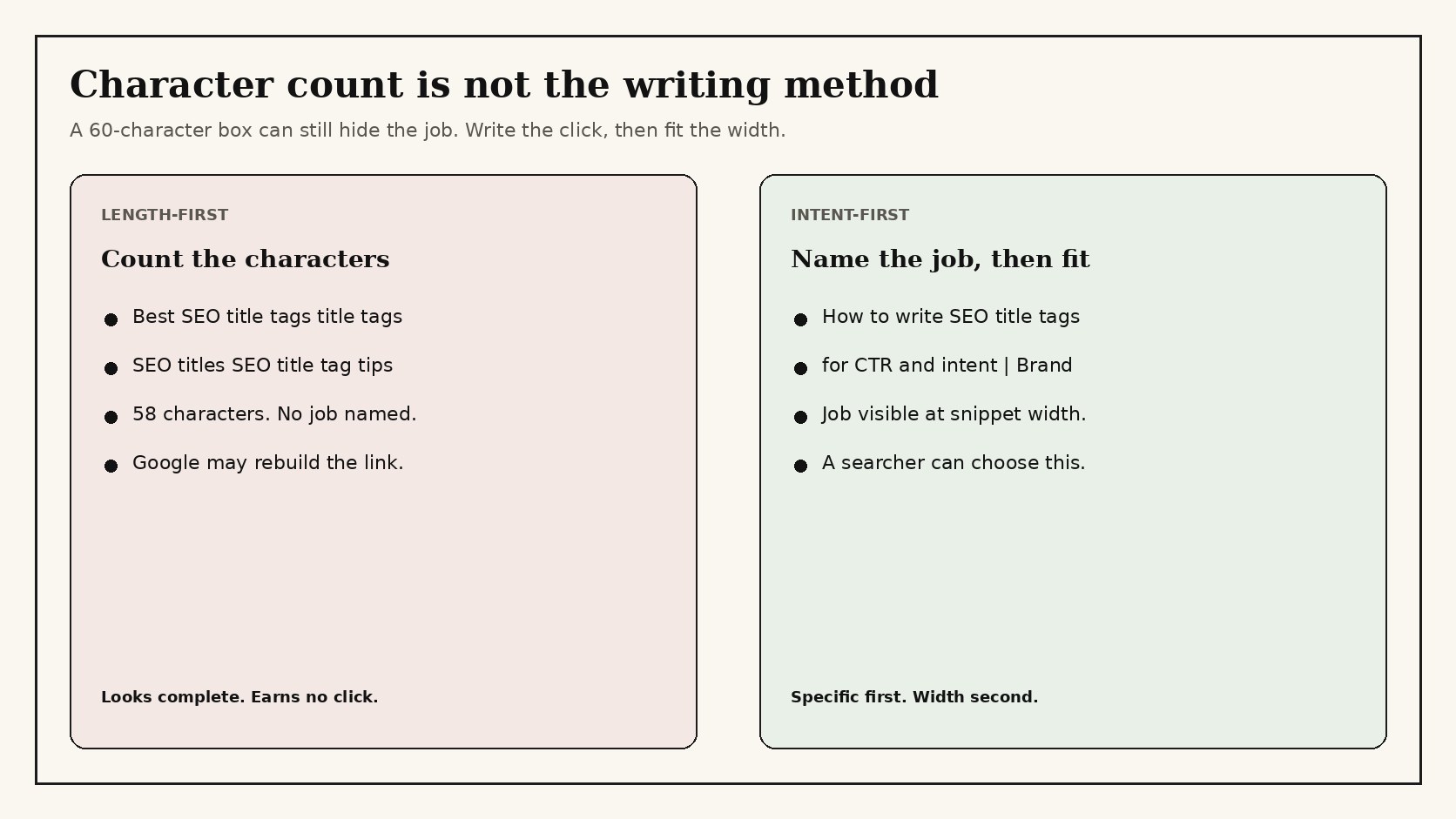
Character count answers one question: will the unique part of the title still be visible when the snippet is cut? Google's title-link document does not give a character limit. It says long titles are truncated to fit the device width. The common 50 to 60 character range, and the roughly 600 pixel desktop width, are display heuristics. They are useful after the line is worth showing.
Two other facts matter more than the count:
- Intent. The title must name the job the query is trying to finish. A how-to query wants a method. A comparison query wants a side-by-side. A homepage query wants the product. Google's SEO starter guide asks you to match the page to what the searcher wants. The title is the first place that match is visible.
- Click-through rate. On a results page the title is the choice. Two URLs can both be relevant. The one that names the job, the audience, or the constraint usually wins the click. A title that only proves it fit 58 characters does not.
Google also builds title links from more than the <title> element. It can lift the main visual title, heading elements, og:title, other prominent text, and anchors that point at the page. It rewrites when the title is vague, stuffed, boilerplate, outdated, or a poor match for the query. That is why a stuffed 60-character string is not "optimized." It is a rewrite invitation.
1. Name the searcher's job
Do not open the title field on a blank noun. Open the query the URL is allowed to own. The keyword research guide is the companion when you still need to pick that query. Come back here when the URL already has a job and the title is the line that has to prove it.
Write one sentence the searcher would say out loud:
- "Show me how to write a title that gets clicks, not a character rule."
- "Tell me which payroll tool fits a restaurant, and what it costs."
- "Compare this product with the one I already pay for."
That sentence is the job. The title is a compressed version of it. If the page cannot finish that job, do not write a title that promises it. Change the page or change the URL. Google's people-first content guidance asks whether the work satisfies the need. A title that oversells the page is how you earn a bounce and a rewrite.
2. Put the job first, brand last
Searchers scan the start of the title link. Brand-first titles waste that scan on a name they did not search, unless they already searched the brand. Google's own branding advice is to keep the site name concise and to place it at the beginning or the end, separated by a hyphen, colon, or pipe.
Default placement for an inner page:
<title>How to write SEO title tags | Orchory</title>The homepage is the exception. That is the one title where the product name can lead, because the job is the product. Everywhere else, lead with the job, the audience, or the constraint. Keep the brand short. Do not repeat the brand in the title and then again as a slogan.
A hyphen, a colon, and a pipe are all fine separators. Pick one pattern and keep it. Inconsistent separators make a site look like ten people wrote titles without reading each other, which is close to what happened.
3. Write the click, then fit the pixel width
Write the specific line first. Cut it second. The order matters because a title written inside a 60-character box becomes a pile of keywords with the unique fact trimmed off.
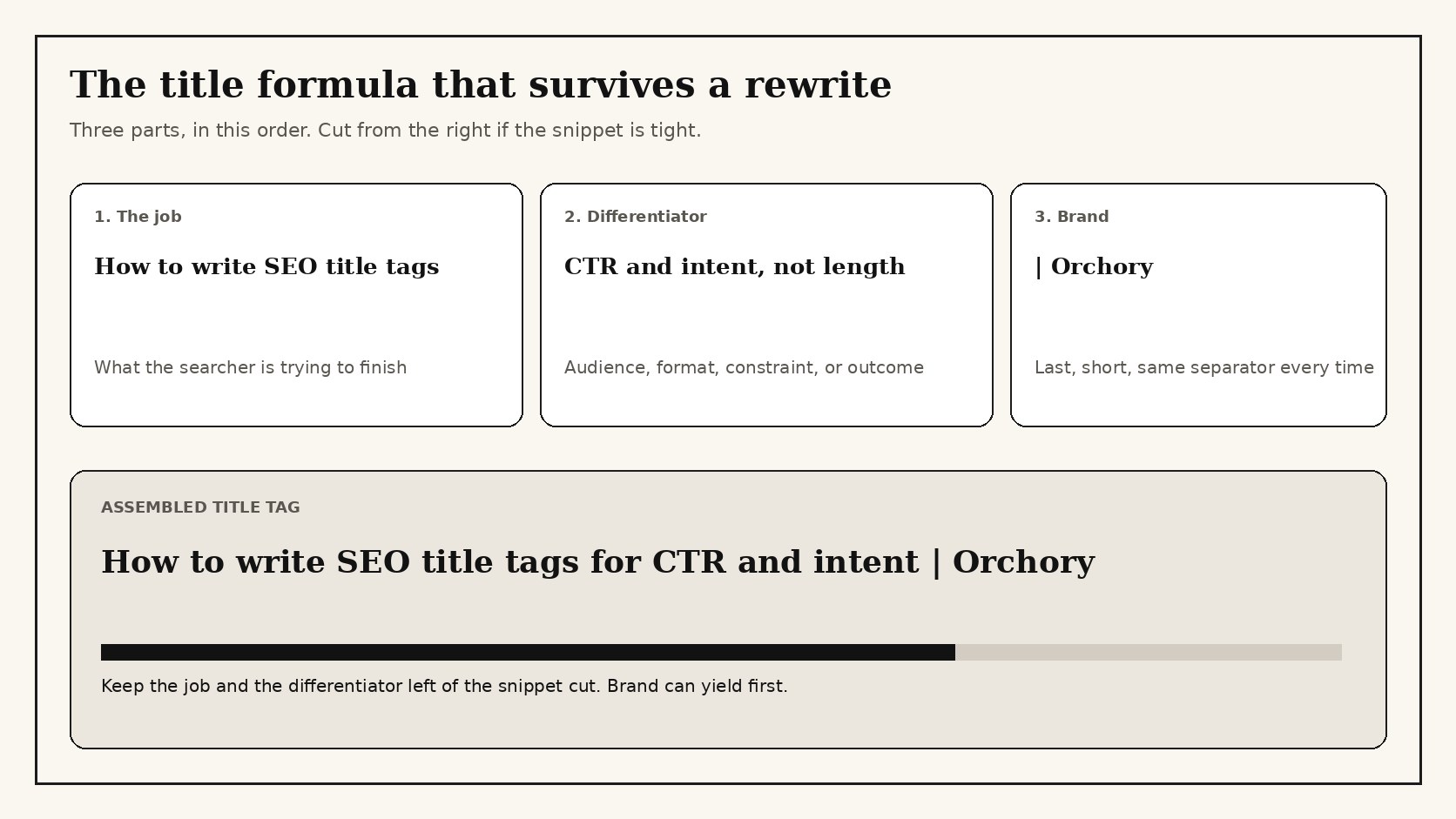
A useful title usually has three parts, in this order:
- The job the query is trying to finish.
- The differentiator a searcher can use: audience, format, constraint, or outcome.
- The brand, last, and short.
Then check the width. Paste the title into a snippet preview, or count characters as a first pass. If the job and the differentiator are still visible at about 600 pixels, stop cutting. If the cut lands on the differentiator, rewrite the line. Do not delete the fact that made someone click so you can keep a filler word.
Avoid the two length failures that look like craft:
- Padding to hit 60. Extra synonyms do not make a title more complete. Google lists keyword stuffing as a reason it may ignore the title you wrote.
- Cutting the unique fact. "How to write SEO title tags for CTR and intent" is better than "SEO title tags | tips | guide | 2026" even if the first line is a few characters longer.
Years and "best" belong in a title only when the page can defend them. A year that is not updated is one of the rewrite cases Google documents. If you stamp a year, you have also accepted a maintenance job.
4. Match the SERP without cloning it
Open an incognito window and search the exact query. Read the title links already winning. You are looking for the shape, not a sentence to copy.
- If page one is "how to" methods, do not title your page as a definition.
- If page one is comparisons, do not title your page as a feature list.
- If page one names an audience ("for SaaS", "for developers"), the query is qualified. Your title should qualify too, or you are bidding on a different job.
Then write a line the current results leave unfinished. That is usually a constraint, a format, or an honest limit. Cloning the top title is how ten results become indistinguishable and Google rewrites the weakest ones. The featured snippet playbook is the companion when the SERP is offering an extractable answer box. This page stays on the title link itself.
5. One title per URL, one URL per intent
Duplicate titles are not a templating convenience. They are how two URLs compete for the same impression. Google's title-link guidance calls out repeated and boilerplate titles as a failure: searchers cannot tell the pages apart, and Google may rebuild the link from other text.
The test is simple. If two pages can share a title after you remove a city name, a product SKU, or a year, they are sharing an intent. Either combine them or rewrite until each title names a fact only that URL can own. The keyword cannibalization explainer is the companion when several URLs are already splitting one query. The SEO content strategy guide is the companion when the missing piece is the map of which URL owns which job.
Practical rule: if you can swap two titles and a searcher would not notice, one of those URLs should not exist.
6. Check the live snippet, then rewrite losers
A title is not done when it ships. It is done when the live snippet matches the job and earns the click it was written for.
- Inspect the live
<title>with the meta tag checker. Confirm there is one title, it is not empty, and it matches the page you think you published. - Search the query in an incognito window. Compare the title link Google shows with the title you wrote. A rewrite is data. If Google swapped in the H1, your title was the weaker description of the page.
- In Search Console, sort the URL's queries by impressions and look at CTR. High impressions and a weak CTR is a title problem before it is a content problem. The SEO checker for a website is a second pass when you want the title beside headings and other on-page facts.
Rewrite the titles that get seen and not chosen. Leave the titles that already earn the click. A quarterly sweep of the impression winners is enough for most sites. Daily title tweaks on pages nobody searches are theater.
If the page itself never appears, the title is not the first fix. The guide to getting a site to show on Google covers crawl and index issues that sit upstream of the snippet.
Worked rewrites
These are the failures that show up on real sites, and the rewrite that names the job.
| Weak title | Why it fails | Rewrite |
|---|---|---|
| Home | Names a template, not a product | Payroll software for restaurants | Northline |
| Welcome to our SEO blog | Brand greeting, no job | How to write SEO title tags | Northline |
| Best CRM Best CRM Software Best CRM Tools | Stuffed. Google may ignore it | CRM for local agencies: features and limits | Northline |
| Northline | Northline | Official site | Brand repeated. No differentiator | Restaurant payroll with tip pooling | Northline |
| Cheap products for sale on every category page | Boilerplate. Pages are indistinguishable | Each category names the job it owns, then the brand |
| 2024 admissions criteria | University | Year went stale while the H1 moved on | Admissions criteria for first-year applicants | University |
Notice the rewrites are not shorter for their own sake. They are more specific. Several are longer than the weak line and still better, because the unique fact survives the cut.
Title tag diagnostic
Use this on any URL before you publish, and again when Search Console shows impressions without clicks. A "yes" on the first four rows means the line is ready for a width check. A "no" means rewrite, do not trim.
| Check | Pass | Fail |
|---|---|---|
| One job | You can name the query and the next step | The title could sit on three other URLs |
| Job first | The unique fact is in the opening words | The line opens with the brand, "welcome", or "official" |
| Honest match | The page finishes the job the title names | The title promises a comparison, a price, or a method the page skips |
| Not stuffed | No repeated synonyms or stacked "best" phrases | The same noun appears in three forms to hit a count |
| Unique on the site | No other live URL uses this title | A template stamped the same promise on a set of pages |
| Width | Job and differentiator stay visible at snippet width | The cut lands on the only reason to click |
If you want a second set of eyes on the live head, start at the free SEO tools hub. The meta tag checker reads the title that is actually on the page. That is the artifact Google can see. A draft in a CMS field is not.
What Orchory writes into the title
Orchory is not a title-tag generator. It is the SEO agent that plans the next page and writes the page, including a title that names the job that URL owns. The title is part of a cite-ready page, next to the H1, the opening answer, and the internal links. That is the same order this guide uses: pick the intent, then write the line, then keep the page honest.
Orchory Pro costs $990/mo for one plan, cancel anytime, with no seat limits. You can start free without a credit card. The auto SEO workflow is the full loop from research to a page you review. If the fit is right, send your site and a person walks the first page with you on a call before you pay.
If you are still choosing a stack, the 2026 AI SEO tools guide compares tools by the artifact they leave you with. The cite-ready pages guide is the companion when the title also has to survive an AI answer, not only a blue link. For the engineering half of on-page work, SEO for developers covers crawlability and the rest of the head around the title.
