
Best Free Title Tag Checkers (2026): Length, Pixels, Live Extract
Free title tag checkers measure length and pixel width, then show what a live URL actually ships. Ranked tools for SERP previews, extracts, and Search Console.
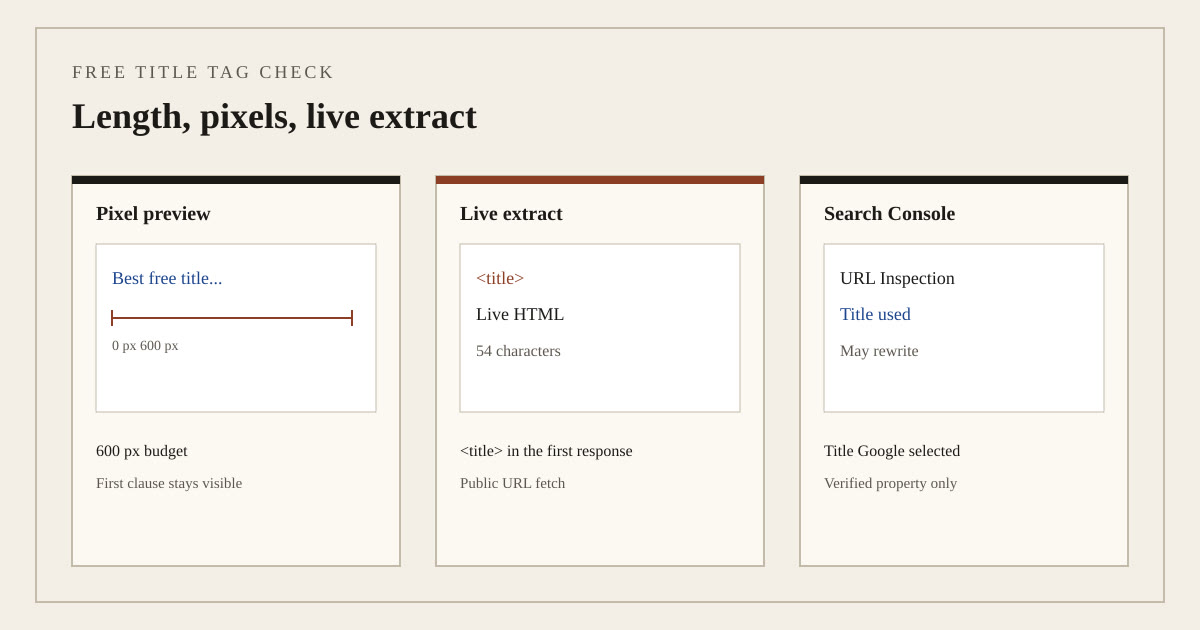
Short answer: the best free title tag checker in 2026 is the one that matches the length job in front of you. Use a pixel SERP preview when you are still drafting, a live URL extract such as Orchory's meta tag checker when you need the <title> a public page already ships, and Google Search Console when the question is which title Google used.
This page covers title tag checkers and title length checkers only: tools that read or preview the document title, its character count, and its pixel width. It is not a roundup of full meta tag checkers, meta tag generators, schema builders, sitemap generators, or redirect tracers. Those jobs need different pages.
Answer-first shortlist
If you only have a few minutes, start here:
- Still drafting: paste the candidate title into a pixel SERP preview such as Portent's SERP Preview Tool or the Semrush SERP Simulator.
- Any public URL, live title: Orchory meta tag checker (extracts the title, flags short or long strings, and shows a 60-character Google preview).
- Need a wider on-page pass: Orchory SEO checker for website scores title length alongside headings and other on-page flags.
- WordPress or similar CMS: use the Yoast SEO, Rank Math, or All in One SEO SERP preview next to the page, then recheck the public URL after publish.
- Verified production site: Search Console URL Inspection and the Performance report, which show the title Google selected.
- When the title is honest: ship cite-ready pages worth ranking; see the auto SEO tool overview when you want that workflow on your stack.
No checker replaces the page. Google's title link documentation treats your <title> as a strong hint, not a lock. Google may rewrite it from the H1, visible headings, or on-page text.
What a title tag checker should do
A useful title tag checker answers five questions:
- Is there a title? One
<title>in the first HTML response, not two, and not an empty string. - How long is it? Character count plus an approximate pixel width, because
WandMcost more space thaniandl. - What gets cut? A desktop and, when the tool offers it, a mobile preview that shows the first words a searcher keeps.
- Is this the live tag? A fetch of the public URL, not only a form you typed by hand.
- Is it unique? A crawl or template check that catches the same title on every route.
Google does not publish a character limit for the element itself. The title link is truncated to fit the device. A practical desktop target is the important wording inside about 50 to 60 characters, or roughly 500 to 600 pixels. Put the claim first. Recheck after publish.
Ranked free tools by job
This ranking is by fit for common free workflows, not by market share or traffic claims. Free tiers change; validate on pixel width, live fetch, and whether you can see the title Google used.
- Pixel SERP previews (Portent SERP Preview Tool, Semrush SERP Simulator) when you need truncation before the title leaves the draft.
- Orchory meta tag checker (meta tag checker) when you need the live
<title>, a character warning, and a 60-character Google preview from a public URL. - Orchory SEO checker for website (SEO checker for website) when title length is one check inside a wider on-page pass.
- CMS snippet editors (Yoast SEO, Rank Math, All in One SEO free tiers) when the page already lives in a CMS and you want a SERP preview next to the editor.
- Google Search Console for the title Google fetched and the title it showed, on properties you verify.
- Screaming Frog SEO Spider (free mode) for site-wide title length, missing titles, and duplicate titles on small crawls.
- Browser view-source or DevTools for localhost and authenticated drafts the public fetchers cannot see.
- Plain character counters only as a last resort when you cannot open a pixel preview.
TL;DR comparison table
| Job | What you learn | Free starting point | Limit to know |
|---|---|---|---|
| Pixel preview | Where a draft title truncates | Portent, Semrush SERP Simulator | Estimate, not Google's live title |
| Live extract | The <title> the public HTML returns |
Orchory meta tag checker | First response only; no JS-only titles |
| On-page score | Title length plus headings and other flags | SEO checker for website | Character bands, not pixel width |
| CMS preview | Title next to the page you are editing | Yoast SEO, Rank Math, All in One SEO | Preview is not the live head |
| Google's view | Fetched HTML and the title Google used | Search Console URL Inspection | Verified properties only |
This table avoids invented vendor rankings or traffic statistics. Evaluate tools on whether they measure pixels, fetch the live document, and admit that Google may still rewrite the snippet.
Pixel SERP previews
Character count is a proxy. Two 55-character titles can occupy different widths because letter shapes differ. A pixel SERP preview is the right first check when you are still choosing words.
Portent's SERP Preview Tool still does this without an account: paste a title, see a desktop-style result, and watch a 600-pixel title budget. The Semrush SERP Simulator adds a desktop and mobile toggle and keyword bolding. Treat both as estimates. Layouts, site names, and favicons change, and neither tool can promise the title Google will show.
Use a preview to protect the first clause. If the claim sits after a brand suffix, a wide-letter product name, or a year, the searcher may never see it. Then write the same string into the template, as described in SEO for developers, so staging leftovers do not reach production.
Live title extracts
A preview of a draft is not proof. Fetch the public URL and read the first HTML response. Client-side rendering can hide a title from a crawler that does not execute your script.
Orchory's free meta tag checker fetches a public URL and lists the title it found. It warns when the string is under 30 characters or over 70, and it shows a 60-character Google preview. The tool is free without an account and refuses localhost and private network targets, which is standard for server-side fetchers.
What that extract is good for:
- QA after a template or CMS change.
- Confirming the live title matches the draft you approved.
- Catching an empty, duplicated, or leftover staging title.
What it does not do:
- Measure true pixel width the way a dedicated SERP preview does.
- Replace Search Console for the title Google selected.
- See a title that exists only after client-side JavaScript runs.
Need headings and other on-page flags in the same pass? Use the SEO checker for website. It scores title length on a 50 to 60 character band and still reads the first HTML response. Browse the free tools catalog for Open Graph and related helpers once the title is honest.
CMS previews and crawl reports
On WordPress and similar CMS stacks, the free SERP preview in Yoast SEO, Rank Math, or All in One SEO is usually enough while you edit. Recheck the public URL after publish. Plugin previews read the editor, not the cached or CDN response a crawler hits.
When you need every title on a small site, crawl with Screaming Frog SEO Spider in free mode. Filter for missing titles, titles over your length budget, and exact duplicates. The free crawl cap is 500 URLs at the time of writing. Export the title column, fix the template that produced the repeats, and recrawl the same list.
For pages still on localhost or behind authentication, view-source or the DevTools Elements panel is the fastest free checker. Confirm the initial HTML, not only the hydrated DOM, then rerun a public extract after deploy.
Search Console and the title Google used
Search Console is not marketed as a title length checker, but it is the authoritative free check for production URLs on properties you verify. URL Inspection shows the HTML Google fetched and whether Google selected a different title than your tag. The Performance report shows the title that appeared for a query.
Google's snippet guidance is clear: Google may rewrite titles and descriptions. A title tag checker proves presence and length. Search Console shows whether Google accepted your signal.
If Google rewrites the title in a way that misstates the page, tighten the <title>, the H1, and the opening paragraph together, the same way you would tune a featured snippet answer. Then wait for a recrawl. Do not add a second title tag.
For indexing problems beyond the title, read how to make your website show on Google.
Titles and cite-ready pages
Title tag checkers measure a string. Cite-ready pages are the outcome that string should name: one stable address that returns 200, an answer-first opening, claims tied to live sources, and structured data that matches the visible body.
A polished title on a thin page still wastes the snippet. A strong page with a generic title still hides the reason to click. Assistants and search systems both favor URLs whose title, H1, and opening answer agree.
Orchory does not replace your title tag checker. Orchory is built for teams that turn prioritized topics into cite-ready pages on their design system. Free URL tools on Orchory read the live head and score on-page title length. They do not invent a title from a keyword alone.
The practical split:
- Title tag checker (this list): preview length, extract the live
<title>, or read the title Google used. - Meta tag checker: confirm the rest of the head on the same URL.
- Orchory workflow: ship new answer-first pages that deserve a title worth ranking.
When the title is honest and you want automated page production on your stack, read the auto SEO tool overview. Send your site when you want help connecting snippet hygiene with a steady page pipeline.
Title checkers vs other SEO tools
Search intent drifts easily. Keep the jobs separate:
- Title tag checker: presence, length, pixel width, and the live or Google-selected title.
- Meta tag checker: the full head on one URL, including description, canonical, and robots (different workflow).
- Meta tag generator: write title and description HTML (different workflow).
- Open Graph checker: share-card tags after deploy (different workflow).
- Schema, sitemap, redirect, or broken-link tools: other technical jobs, other pages.
Using the wrong tool wastes time and creates overlapping articles on your own site. This piece stays in the title-length lane so it can link honestly to indexing and snippet resources without repeating a full head-tag comparison.
Ready to ship? Preview the title in pixels, confirm it on the live URL, check Search Console after Google recrawls, then explore the free tools hub or the auto SEO tool when you move from snippet hygiene to shipping cite-ready pages. Send your site when you want help applying the workflow to your stack.
