
How to Do Keyword Research for a Website: Find Terms Worth Building Pages For
Keyword research for your website starts with buyer language and Search Console, not a blank tool export. A five-step method to expand, validate, cluster, and queue pages you can ship.
To do keyword research for a website, start from how buyers describe your product, expand those seeds with Google Search Console and a research tool, validate each term against the live SERP, cluster related queries into one page each, and ship the top opportunities as reviewed pages. That is planning work. It is not the same as opening a rank checker to see which keywords a URL already earns.
Most teams stall because they mix those jobs. They export five hundred rows from a keyword database, notice a competitor ranks for something interesting, and still cannot answer a simpler question: which new page should we build next for our site? This method keeps research tied to pages you can publish, review, and measure.
Keyword Research vs Checking Keywords You Already Rank For
Keyword research decides what your site should target next. You are choosing queries, page types, and priorities before or while you build.
Checking keywords on a website is diagnostic. You enter a domain or URL and read which queries already produce rankings, impressions, and clicks. That evidence matters, but it does not by itself create a forward plan.
| Job | Question it answers | Typical output |
|---|---|---|
| Keyword research | What should we publish or rewrite next? | Prioritized page queue with intent and format |
| Rank / site keyword check | What does this URL already rank for? | Ranking keyword list with positions and volume |
When you need the second job on your site or a competitor, use the free how to look for keywords on a website lookup. It shows ranking terms with the volume and difficulty available for each row. When you need the first job, stay in the five steps below.
For a longer pipeline that ends in coding-agent pull requests, see the keyword research guide. This article stays closer to the everyday question founders ask: how do I find keywords for my website?
Step 1: Harvest Seeds From Your Site and Customers
Seeds are the phrases your business already uses correctly. They anchor research in language you can defend on a page.
Where seeds come from
- Product and marketing copy: homepage hero, feature names, pricing tiers, integration lists.
- Docs and support: article titles, repeated troubleshooting phrases, setup steps.
- Sales and success notes: how prospects describe the problem before they know your category label.
- Search Console (existing data): queries with impressions even when average position is weak.
Collect 5 to 15 seeds before you open a keyword database. If you cannot write ten seeds from real customer language, fix positioning first. Tools amplify vocabulary you already have; they do not invent a credible site strategy.
Practical rule: every seed should map to something your product actually does, not something you wish it did.
Step 2: Expand Demand With Search Console and Tools
Expansion turns seeds into a candidate list. You are looking for related queries, question forms, comparison patterns, and audience modifiers.
Use Search Console before paid databases
In Google Search Console, export queries for the last 28 or 90 days. Sort by impressions, then filter for:
- Queries where you rank around positions 11 to 20 on a URL you can improve.
- Queries with rising impressions but flat clicks, which often signal a title or intent mismatch.
- Queries that map to pages you never meant to rank, which may indicate cannibalization.
That list is yours alone. It is often the highest-confidence input in the whole process because Google already showed your domain for the term.
Widen with modifiers and tools
For each seed, append modifiers buyers use in evaluation: best, vs, alternative, for [role], how to, template, checklist. Capture question variants from support tickets and community threads.
The Orchory AI Keyword Research Tool fits here as a free way to expand seeds into grouped candidates and rough priority scores. Treat the export as input to judgment, not a publish list. The same step works in any keyword database if you already pay for one.
Step 3: Validate SERPs and Assign Page Types
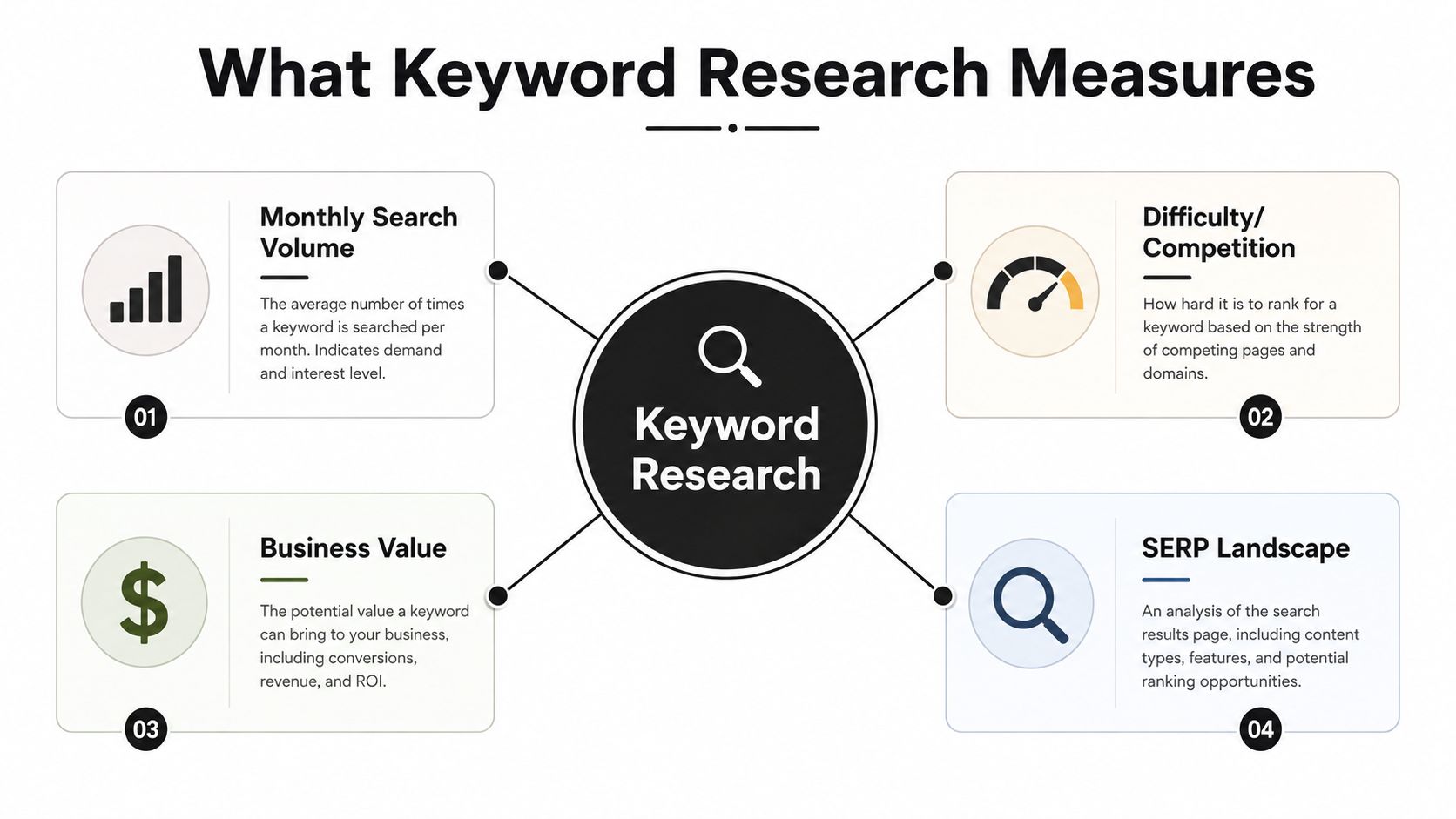
Volume and difficulty scores disagree across tools. The SERP is the tiebreaker because it shows what Google rewards today.
The two-minute SERP check
For each promising query, open an incognito window and scan the first five results. Write down:
- Format: guide, comparison, tool, forum thread, product page, or video.
- Strength: household brands vs niche sites vs thin pages.
- Intent match: whether your product can honestly complete the job.
Drop candidates when page one is all authoritative brands you cannot outrank on that query, or when the intent is navigational to someone else's product. Keep candidates when results are outdated, shallow, or split across conflicting intents you can unify in one focused page.
Assign one page type per candidate
Label each survivor with the format you will ship: comparison, use case, glossary, template, integration guide, or playbook. If you cannot name the page type in one phrase, the query is not ready for the queue.
Google's helpful content guidance still comes down to whether the page serves people with original, complete answers. Validation is where you prove your site can add that before you write thousands of words.
Step 4: Cluster Queries Into One Page Each
Clustering prevents duplicate pages that compete with each other. Group queries when they share the same SERP and the same job-to-be-done.
Cluster by SERP overlap, not wording
Two phrases that look similar can require different pages if Google shows different result types. Two phrases that look different can belong together when the same URLs rank for both.
The Orchory keyword clustering tool groups a pasted list by shared intent signals so you can pick one primary query per cluster. Manual clustering works too: sort by SERP overlap, pick a primary keyword, and list supporting phrases that belong in the same H2 sections.
Read what keyword clustering is if you need the underlying model. The operational rule is simpler: one search intent, one canonical URL.
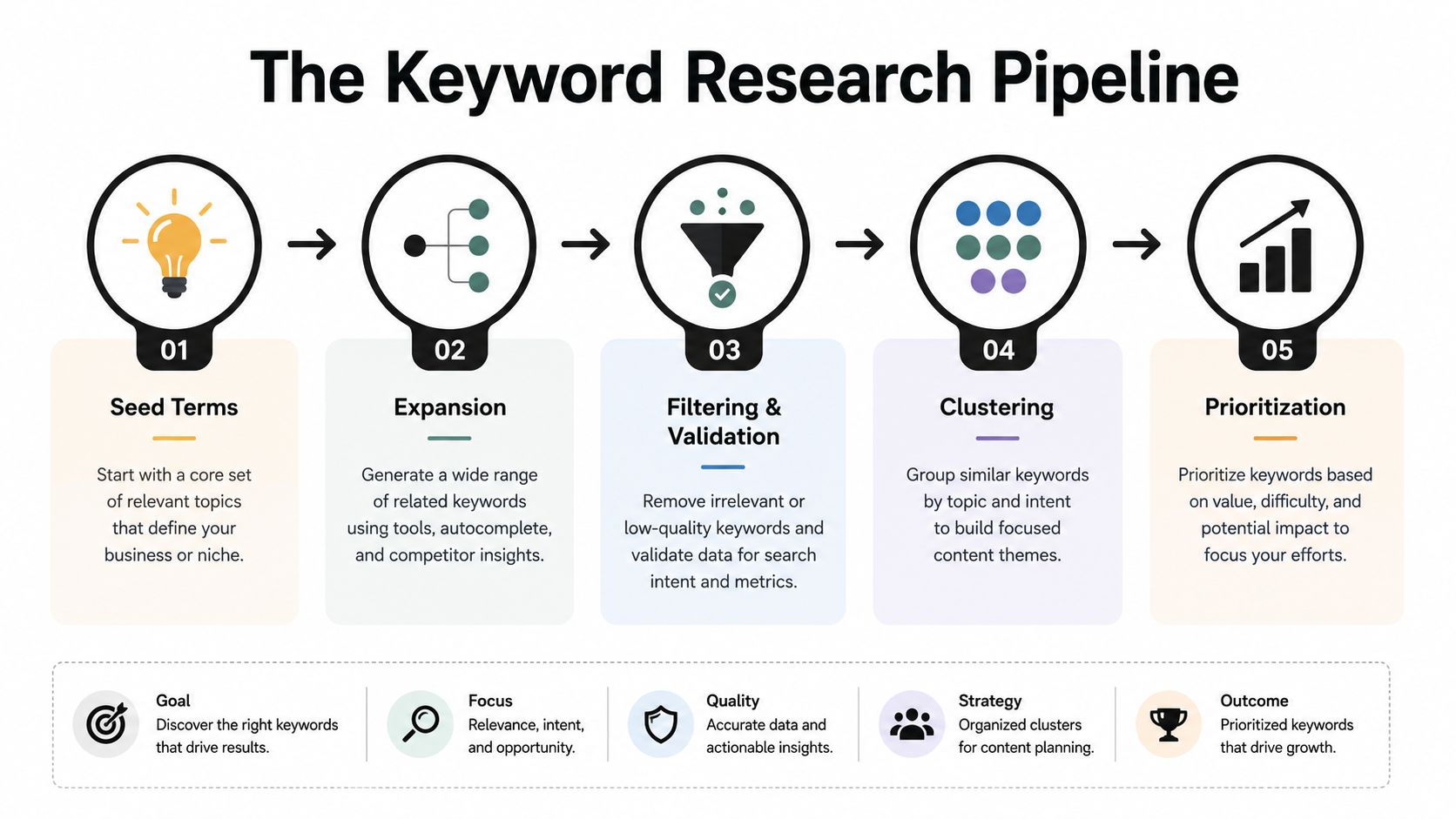
Step 5: Turn the Shortlist Into a Build Queue
A keyword list becomes useful when each row has an owner, a ship date, and acceptance criteria.
Score for shipping, not for spreadsheets
Rank clusters with a simple rubric:
- Business fit: Does the query map to signup, trial, or demo intent?
- SERP beatability: Are page-one results weak or misaligned?
- Implementation cost: Can you ship a credible page in one sprint?
- Strategic fit: Does the page strengthen a topic hub you already have?
Weight easier wins higher early in the program. A few indexed pages that earn clicks beat a backlog of perfect ideas nobody merges.
Hand off to build and measure
For each approved cluster, write a brief: primary query, intent, page type, required sections, internal links, metadata, and schema only where accurate. Implement through your normal review path. After publish, watch impressions, clicks, and average position in Search Console for the target URL.
If the workflow fits your team, send your site to Orchory. A person helps set up the first page with you on a call, free, before you commit to a plan. You still approve every merge.
Keyword research for your website is finished when the next page is in review, not when the spreadsheet grows. Keep the rank checker for evidence on existing URLs, keep clustering for grouping, and keep research focused on the page queue you will actually ship.
