
Best Free Canonical Tag Checkers (2026): Live Extract vs Google's Choice
Free canonical tag checkers show the rel=canonical a URL ships, then whether Google agreed. Ranked tools for live extracts, crawl audits, and Search Console.
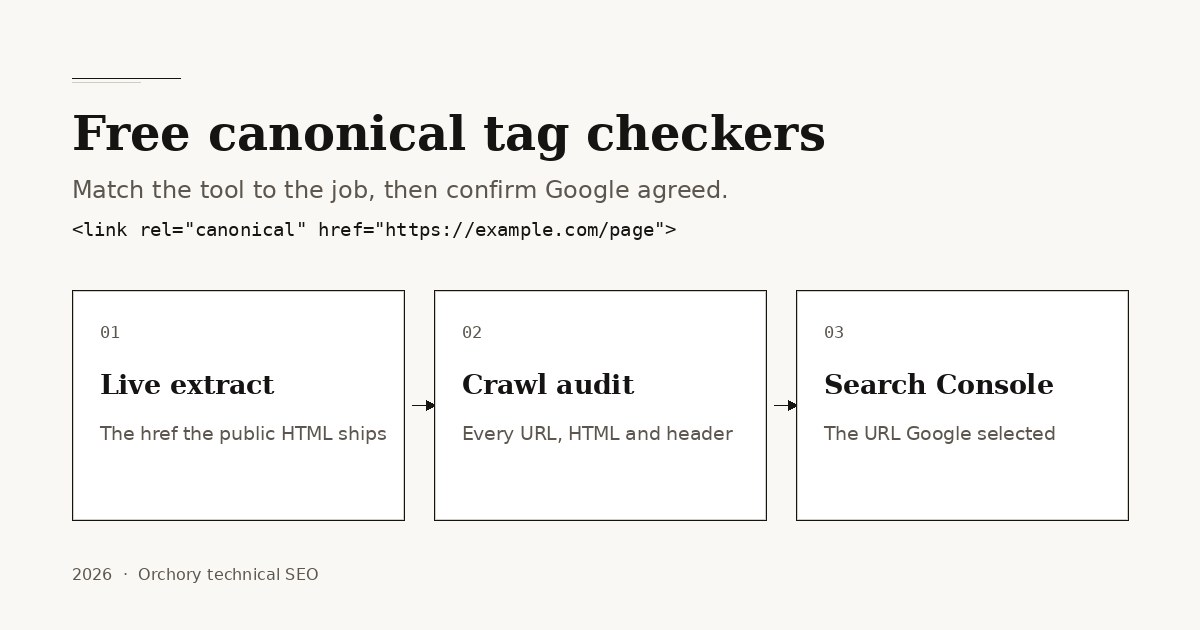
Short answer: the best free canonical tag checker in 2026 is the one that matches the question in front of you. Use a live HTML extract such as Orchory's meta tag checker when you need the rel=canonical a public page already ships, a crawl report such as Screaming Frog SEO Spider free mode when you need every URL's tag at once, and Google Search Console when the question is which URL Google selected.
This page covers canonical tag checkers only: tools that read the declared canonical, compare it with the requested URL, or show the URL Google chose. It is not a roundup of title checkers, meta tag generators, sitemap generators, redirect tracers, or broken-link scanners. Those jobs need different pages.
Answer-first shortlist
If you only have a few minutes, start here:
- Any public URL, live tag: Orchory meta tag checker (extracts the
rel=canonicalfrom the first HTML response and flags a missing tag). - Need a wider on-page pass: Orchory SEO checker for website scores canonical presence alongside titles, headings, and other on-page flags.
- Need every URL on a small site: crawl with Screaming Frog SEO Spider in free mode and open the Canonicals tab.
- WordPress or similar CMS: read the Yoast SEO, Rank Math, or All in One SEO canonical field next to the page, then recheck the public URL after publish.
- Verified production site: Search Console URL Inspection, which shows the user-declared canonical and the Google-selected canonical side by side.
- When the tag is honest: ship cite-ready pages worth ranking; see the auto SEO tool overview when you want that workflow on your stack.
No checker replaces the page. Google's duplicate URL documentation treats rel=canonical as a strong hint, not a lock. Google may still pick another URL from redirects, sitemaps, internal links, or the content itself.
What a canonical tag checker should do
A useful canonical tag checker answers six questions:
- Is there a tag? One
<link rel="canonical" href="...">in the first HTML response, not two, and not an empty href. - Is there a header too? An HTTP
Linkheader can also declare a canonical. A checker that only reads HTML can miss it. - Which URL does it name? Absolute preferred URL, not a relative path, fragment, or parameter soup you did not intend.
- Does it match this request? Self-referencing on the preferred URL, or pointing at the preferred URL from a duplicate variant.
- Does the target resolve? A 200 on the named URL, not a redirect chain, a 404, or a noindex page.
- Did Google agree? The Google-selected canonical on a verified property, which a third-party fetch cannot see.
Canonicals exist to consolidate duplicate or near-duplicate URLs: www vs non-www, trailing slashes, protocol variants, and parameter copies of the same page. They are the wrong tool for two distinct pages that share overlapping intent. That case is keyword cannibalization, and the fix is merge or retarget, not a tag that pretends the pages are copies.
Ranked free tools by job
This ranking is by fit for common free workflows, not by market share or traffic claims. Free tiers change; validate on live fetch, header support, crawl caps, and whether you can see the URL Google selected.
- Google Search Console URL Inspection when you need the declared canonical and the Google-selected canonical on a property you verify.
- Orchory meta tag checker (meta tag checker) when you need the live
rel=canonicalfrom any public URL without an account. - Screaming Frog SEO Spider (free mode) for site-wide HTML and HTTP canonicals, missing tags, multiples, and non-indexable targets on small crawls.
- Orchory SEO checker for website (SEO checker for website) when canonical presence is one check inside a wider on-page pass.
- CMS SEO plugins (Yoast SEO, Rank Math, All in One SEO free tiers) when the page already lives in a CMS and you want the declared URL next to the editor.
- curl or browser DevTools for the HTTP
Linkheader, localhost, and authenticated drafts public fetchers cannot see. - Browser view-source for a fast first-HTML check before you trust a hydrated DOM.
TL;DR comparison table
| Job | What you learn | Free starting point | Limit to know |
|---|---|---|---|
| Live extract | The rel=canonical the public HTML returns |
Orchory meta tag checker | First response only; no HTTP header, no Google view |
| On-page score | Canonical presence plus titles and other flags | SEO checker for website | Presence, not target status or Google's choice |
| Site-wide audit | Missing, multiple, relative, and header canonicals | Screaming Frog SEO Spider free mode | 500 URL crawl cap at the time of writing |
| CMS field | The canonical the editor will write | Yoast SEO, Rank Math, All in One SEO | Preview is not the live head |
| Google's view | Declared vs Google-selected canonical | Search Console URL Inspection | Verified properties only |
This table avoids invented vendor rankings or traffic statistics. Evaluate tools on whether they fetch the live document, read HTTP headers, and admit that Google may still pick another URL.
Live canonical extracts
A CMS field is not proof. Fetch the public URL and read the first HTML response. Client-side rendering can hide a canonical from a crawler that does not execute your script. Two tags, a relative href, or a leftover staging host are all first-response problems.
Orchory's free meta tag checker fetches a public URL and lists the canonical it found. It warns when the tag is missing. The tool is free without an account and refuses localhost and private network targets, which is standard for server-side fetchers.
What that extract is good for:
- QA after a template or CMS change.
- Confirming the live href matches the URL you meant to prefer.
- Catching an empty, duplicated, or leftover staging canonical.
What it does not do:
- Read an HTTP
Link: <...>; rel="canonical"header. - Follow the named URL to prove it returns 200.
- Replace Search Console for the URL Google selected.
- See a canonical that exists only after client-side JavaScript runs.
Need headings and other on-page flags in the same pass? Use the SEO checker for website. It scores canonical presence and still reads the first HTML response. Browse the free tools catalog for Open Graph and related helpers once the preferred URL is honest.
Crawl reports and HTTP headers
On WordPress and similar CMS stacks, the free canonical field in Yoast SEO, Rank Math, or All in One SEO is usually enough while you edit. Recheck the public URL after publish. Plugin fields read the editor, not the cached or CDN response a crawler hits.
When you need every canonical on a small site, crawl with Screaming Frog SEO Spider in free mode. The Canonicals tab reports HTML and HTTP header declarations. Filter for missing tags, multiple conflicting tags, relative hrefs, fragments, unlinked targets, and canonicals that point at a non-indexable URL. The Screaming Frog canonical audit walkthrough lists those filters. The free crawl cap is 500 URLs at the time of writing. Export the column, fix the template that produced the repeats, and recrawl the same list.
For pages still on localhost or behind authentication, view-source or the DevTools Network panel is the fastest free checker. Confirm the initial HTML, then look at response headers for a Link canonical. A one-off header check looks like this:
curl -sI https://example.com/page | grep -i '^link:'Then rerun a public extract after deploy. Put the same preferred URL in the template, as described in SEO for developers, so staging leftovers do not reach production.
Search Console and the URL Google selected
Search Console is not marketed as a canonical tag checker, but it is the authoritative free check for production URLs on properties you verify. URL Inspection shows the user-declared canonical Google found and the Google-selected canonical it chose. Those two fields can disagree. Indexing statuses such as "Duplicate, Google chose different canonical than user" and "Alternate page with proper canonical tag" describe that gap.
Google's consolidate duplicate URLs guidance is clear: a canonical is a hint. Redirects, internal links, sitemaps, and the page itself also vote. A checker proves presence and href. Search Console shows whether Google accepted the signal.
If Google selects a different URL, check four things before you add a second tag:
- The declared href returns 200 and is indexable.
- Internal links and the sitemap name the same preferred URL.
- The duplicate variants are close copies, not separate answers.
- Redirects already send leftover hosts and slash variants to that URL.
Then wait for a recrawl. Do not add a second rel=canonical. For indexing problems beyond the tag, read how to make your website show on Google.
Canonicals and cite-ready pages
Canonical tag checkers measure a hint. Cite-ready pages are the outcome that hint should protect: one stable address that returns 200, an answer-first opening, claims tied to live sources, and structured data that matches the visible body.
A polished canonical on a thin page still wastes the crawl. A strong page with two live URLs still splits the signal. Assistants and search systems both favor one URL whose tag, sitemap row, and internal links agree.
Orchory does not replace your canonical tag checker. Orchory is built for teams that turn prioritized topics into cite-ready pages on their design system. Free URL tools on Orchory read the live head and flag a missing canonical. They do not invent a preferred URL from a keyword alone, and they do not show the URL Google selected.
The practical split:
- Canonical tag checker (this list): extract the live
rel=canonical, audit it site-wide, or read the URL Google selected. - Meta tag checker: confirm the rest of the head on the same URL.
- Orchory workflow: ship new answer-first pages that deserve one preferred URL.
When the tag is honest and you want automated page production on your stack, read the auto SEO tool overview. Send your site when you want help connecting preferred-URL hygiene with a steady page pipeline.
Canonical checkers vs other SEO tools
Search intent drifts easily. Keep the jobs separate:
- Canonical tag checker: declared href, header canonical, target health, and the URL Google selected.
- Meta tag checker: the full head on one URL, including title, description, and robots (different workflow).
- Title tag checker: presence, length, and pixel width of the document title (different workflow).
- Redirect checker: status codes and chains that should already send leftover variants to the preferred URL (different workflow).
- Sitemap, schema, or broken-link tools: other technical jobs, other pages.
Using the wrong tool wastes time and creates overlapping articles on your own site. This piece stays in the canonical-tag lane so it can link honestly to indexing and cannibalization resources without repeating a full head-tag comparison.
Ready to ship? Extract the live tag, crawl the template if more than one URL is involved, check Search Console after Google recrawls, then explore the free tools hub or the auto SEO tool when you move from preferred-URL hygiene to shipping cite-ready pages. Send your site when you want help applying the workflow to your stack.
