Content Production Workflow for Technical Founders: Ship Pages Like Code
Why SEO content should run through prompts, PRs, and merges instead of docs and calendars, a workflow built for developer-native teams.

Most advice about SEO content assumes you need a separate content team, a calendar, and a pile of Google Docs. That model works when content moves slowly and approvals are simple. For technical founders, it usually turns SEO into a queue of half-finished drafts, subjective edits, and hidden rework.
A content production workflow should feel more like shipping code than managing a magazine. The useful shift is not “write faster,” it's design the handoff, automate the boring parts, and keep humans focused on review, judgment, and merge control. That's the same operating logic behind modern content systems, where planning, drafting, QA, and publishing are treated as connected stages instead of isolated tasks (Bynder, Fast.io).
Stop Thinking Like a Content Team
The old assumption is that SEO requires a dedicated editorial machine. That logic breaks for bootstrapped and seed-stage SaaS teams, because the work does not start with prose, it starts with system design. If your team already works in branches, pull requests, and review comments, you already have a stronger operating model than a shared doc with a dozen open comments.
The practical benchmark matters here. A workflow comparison found manual production averaged 6 articles per month, AI-assisted production averaged 11, and promptless SEO workflows reached 19 articles per month, more than 3x the manual output (Neil Patel). The same benchmark also showed that AI-augmented blog posts moved faster through the pipeline than fully human production. That is not a content creativity problem, it is a production topology problem.
Treat content like a pipeline
Your repo already handles versioning, review, and rollback. Content should follow the same rules. Instead of asking a writer to own a post from idea to publish, split the work into machine-readable stages, then let automation move the asset forward until a human approves the merge.
Practical rule: if a step can be described as a status, a check, or a handoff, it belongs in the workflow before it belongs in a doc.
Latency is where the workflow pays off. Benchmarks from B2B technology marketing teams show that AI-augmented workflows cut the time to first draft for long-form content and reduce the cost of getting a published asset out the door. Those gains show up when the bottleneck shifts from blank-page writing to review, handoff, and approval control.
The Six Control Variables of a Content System
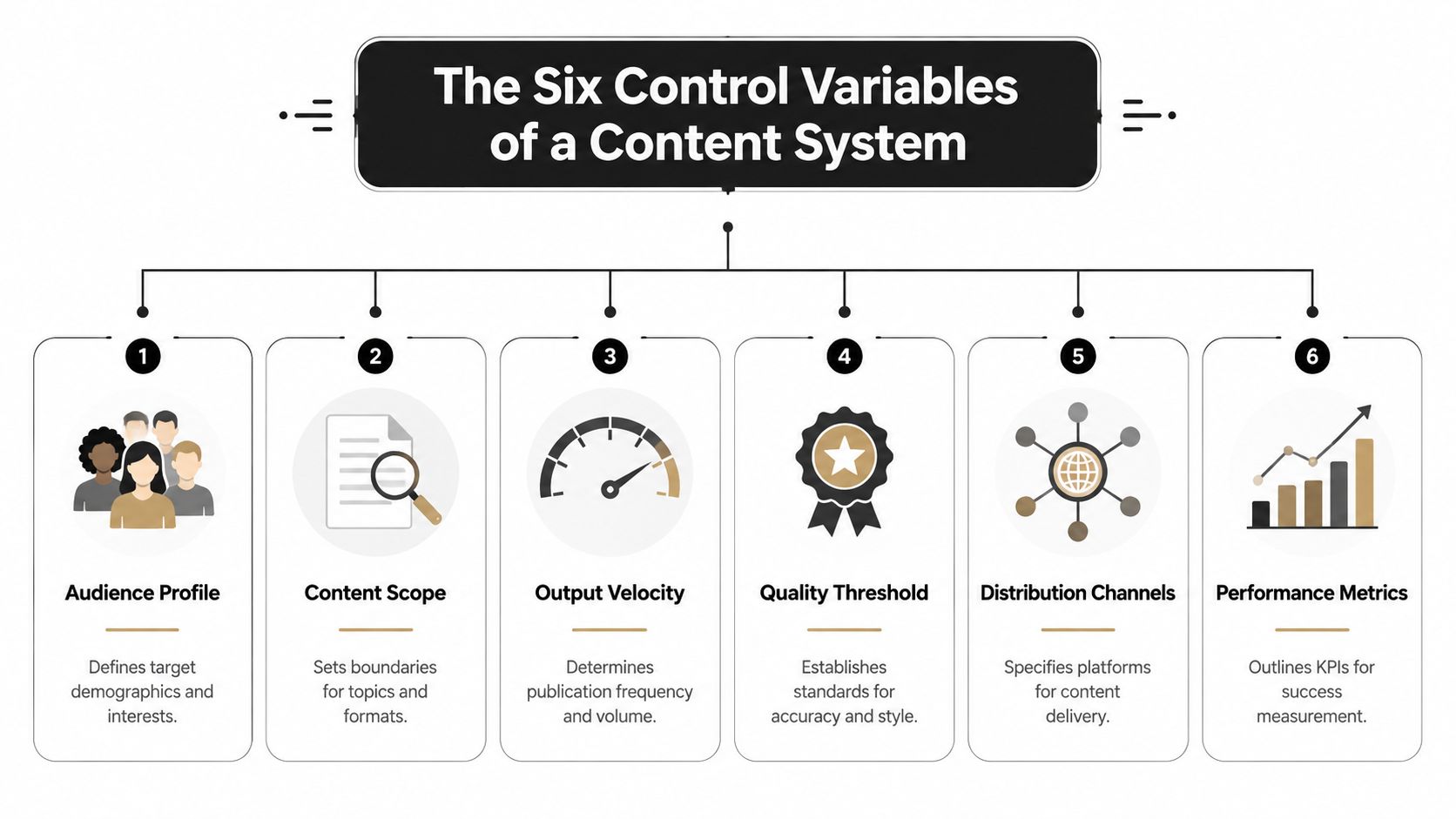
A usable content production workflow starts with configuration, not drafting. The system needs six control variables, the content goal, the required tasks, the roles responsible, the sequence of handoffs, timelines or due dates, and the content inventory. That gives you a repeatable operating model instead of an ad hoc pile of requests.
Define the goal before you define the task
A page built to rank for a comparison query needs a different brief than a page built to support product onboarding. If the goal is vague, the team will optimize the wrong thing, usually tone, length, or internal preference. The goal needs to be specific enough that a reviewer can tell when the page has done its job.
That matters even more in a developer-native workflow. A prompt, an outline, or a pull request should all point back to the same target, otherwise the agent produces clean output for the wrong use case. A comparison page, a glossary page, and a product-support page can share the same system, but they cannot share the same definition of success.
Lock responsibility into the flow
Roles only matter when each stage has an owner. One person or agent prepares the brief, another drafts, another reviews, and another publishes. The useful part is not the org chart, it is the handoff discipline.
Fast.io's workflow guidance is useful here, because it says the system should specify who owns each stage, where files live, what “done” means at each step, and how work moves forward.
If ownership is unclear, the workflow stalls at review. If ownership is clear, a coding agent can move a draft from prompt to PR, and a human reviewer can focus on judgment instead of untangling process.
Make the handoff sequence visible
The most common failure mode is starting creation before the brief, outline, and keyword intent are defined. That is when teams burn time on rewrites because the first draft was built on a fuzzy target. Keep the sequence explicit, brief, draft, edit, design, approve, publish, distribute.
A content system works better when each step maps to a checkable artifact. The brief lives in a ticket or prompt, the draft lives in a branch, the review notes live in comments, and the publish step happens only after the merge passes. If a team member cannot point to the current stage, the workflow is already leaking time. The practical fix is to treat each handoff like a CI gate, not a hallway conversation.
A good workflow makes unfinished work visible without turning every check-in into a meeting.
The last control variable is the inventory. Know what is already live, what needs updates, what should be retired, and what can be repurposed. That is the difference between a content system and a backlog with no memory. For a tighter example of how this logic shows up in an SEO process, see Orchory's AI SEO agent workflow.
Planning and Prioritizing with an SEO Agent
Planning by gut feel is where small teams burn their first serious SEO cycle. A better setup starts with a planning agent that turns market research into a ranked queue of page opportunities. In practice, that means connecting a business profile, expanding keywords, grouping them by intent, and scoring them so the team can build the right pages first.
Orchory fits that role as a planning layer, and its Orchory AI Keyword Research Tool helps turn raw search terms into a usable backlog without forcing a founder to sort everything in a spreadsheet. The useful part is not the keyword list itself. It is the prioritization logic and the prompt output that can be handed to a coding agent.
Turn ambiguity into a ranked queue
A good planner should answer three questions fast. What topics are worth building, what type of page should each topic become, and what search intent does that page need to satisfy. Orchory's planning workflow is built around keyword expansion, validation, clustering, scoring, and queue refresh, then it outputs ready-to-run prompts for coding agents and a ranked page-opportunity queue with page types like comparison, use case, glossary, and location.
The operational upside is straightforward. AI-augmented content workflows can produce more published assets per writer and lower the fully loaded cost per long-form asset when the team replaces manual sorting with a system that clusters topics and surfaces the highest-value pages first. That is the trade-off that matters. You spend less time debating what to write, and more time shipping the pages that can move search demand.
Keep the output actionable
A planning run is only useful if it produces build instructions, not just a dashboard. That is why the handoff matters. Orchory's planner can generate prompts that a coding agent can execute, and the team can review the resulting PR before anything touches the site. Its published workflow also includes Google Search Console integration and CSV export for external analysis, which makes the planning layer easier to audit inside an existing stack.
For a closer look at how the planning agent is structured, the internal walkthrough at Orchory's AI SEO agent workflow explains the keyword-to-prompt flow in more detail. Use it as the reference point when you are deciding which pages to add to the queue and which ones should wait.
From Prompt to Pull Request with a Coding Agent
The fastest way to lose momentum is to leave a founder staring at a blank markdown file. A better workflow starts with a structured prompt sent to a coding agent, then the agent generates the page inside the repo and opens a pull request like any other engineering change. The first draft stays attached to version control, which means the work has ownership from the start instead of living in a random doc nobody wants to touch.

Use a prompt that behaves like a spec
A useful prompt does not ask for “good SEO writing.” It spells out the page type, search intent, section structure, internal links, metadata, and output format. For example:
Create a Markdown article for a SaaS audience targeting the query cluster around pricing alternatives. Output as MDX. Include an intro, four H2 sections, one FAQ block, and a conclusion. Add placeholders for internal links to product and strategy pages. Use plain English, short paragraphs, and developer-friendly examples. Return the file in a new branch and open a pull request.
That kind of prompt lets the coding agent work like a build step instead of a ghostwriter. The output is a draft that can be reviewed, diffed, and merged with the same discipline used for product code. The structure matters because the typical production sequence is ideation and planning, briefing, drafting, editing, design, approval, publishing, and distribution or repurposing, and the failure mode starts when creation begins before the brief, outline, and keyword intent are defined.
Let the agent do the first pass, not the final say
The point is not to remove human judgment. It is to move human effort to the place where it matters most. The coding agent drafts the page, inserts the agreed structure, and opens the PR. The reviewer then checks frontmatter, headings, internal links, schema or component validity if the repo uses them, and whether the draft matches the search intent from the planning prompt.
<iframe width="100%" style="aspect-ratio: 16 / 9;" src="https://www.youtube.com/embed/M6mYodf0dJM" frameborder="0" allow="autoplay; encrypted-media" allowfullscreen></iframe>Keep the draft generation step deterministic if you want the workflow to stay clean. Do not let the agent improvise the brief. Do not let it invent scope. Keep the prompt narrow enough that the reviewer can judge the result against the plan without backtracking through Slack threads.
A QA Checklist for PR-Based Content Review
Once the PR is open, the review process should look like QA, not a freeform edit session. The goal is to catch structural errors, factual errors, and intent drift before merge. That's the same principle Contently applies to AI-assisted content, where teams should fact-check all core claims in every piece, especially the ones that sound too perfect or sit at the center of the argument (Contently).
Separate technical QA from editorial QA
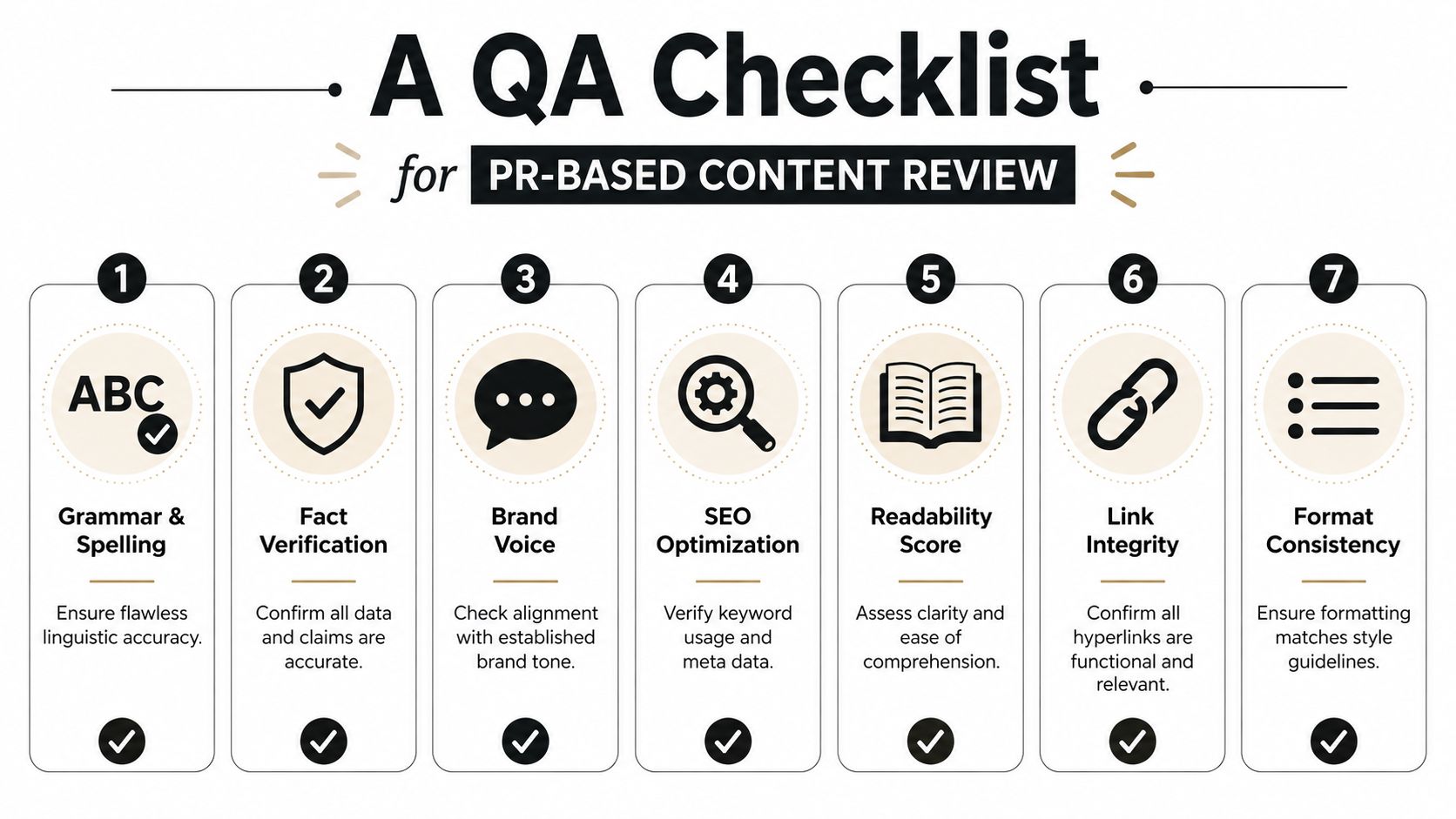
Technical QA is about the file. Does the Markdown render cleanly, are headings nested correctly, are internal links valid, and do any repo-specific components compile. Editorial QA is about the message. Does the article match the query intent, does the tone fit the brand, and are the claims supported by verified sources or left qualitative when they aren't.
Use PR comments for concrete changes, not vague taste. “Change the H2 to match the target query,” is useful. “Make it punchier,” isn't. The tighter the comment, the faster the resubmission.
Review the claims that matter most
Core claims deserve a second pass, even if the draft looks clean. That includes benchmark numbers, product behavior, process descriptions, and any assertion that shapes the reader's next decision. If a paragraph sounds polished but can't be traced to verified data or a product spec, treat it as a risk, not a win.
A simple checklist keeps the team honest:
- Grammar and spelling: confirm the piece reads cleanly and doesn't introduce avoidable errors.
- Fact verification: check every core claim against the approved source set.
- Brand voice: make sure the draft sounds like your company, not a generic content mill.
- SEO fit: confirm the page matches the query cluster and search intent from the prompt.
- Link integrity: verify that all links point to the right destinations.
- Format consistency: make sure headings, bullets, and metadata match the repo standard.
- Readiness to merge: confirm the page is ready to stage, not just “pretty good.”
Make the handoff end in a staged artifact
Mindstamp's production-board example is useful because it ends with an “Approved & Staged” state, where the asset is approved and loaded into the CMS, ready to go live (Mindstamp). That final staging state matters. If the workflow ends at “approved,” someone still has to translate approval into publication, and that's where content often stalls.
Shipping, Measuring, and Closing the Loop
Merging the PR is a handoff, not the finish line. Once the page is live, the work becomes operational again, because content has to be measured, compared, and fed back into the planning loop. The emerging model in content operations treats this as a full lifecycle, with governance and measurement designed to reduce duplication, keep approvals auditable, and support optimization and retirement after publish (Vectoron).
Treat published pages like shipped features
The first post-publish action is indexability. Submit the URL through Google Search Console, then watch how the page behaves in search over the first several weeks. You're looking for clicks, impressions, and position movement, not vanity approval from the team that wrote it. If a page underperforms, the issue may be intent mismatch, weak internal linking, or a topic that belongs lower in the queue.
That feedback should flow back into planning. A strong page validates the topic choice and the page type. A weak page tells the planner to adjust cluster logic, search intent mapping, or the scope of the next draft.
Use the same loop for pruning and reuse
A good workflow doesn't just publish new pages, it also tells you what to do with old ones. Some pages should be refreshed with new evidence or a tighter angle. Some should be merged. Some should be retired. That's how the inventory stays useful instead of bloated.
The system gets better when every shipped page teaches the next run what to build, what to skip, and what to retire.
The point of measurement is not reporting. It's reducing guesswork in the next prompt. When the planning agent has performance data, it can prioritize topics with a stronger chance of shipping cleanly and earning search demand without forcing the team back into manual triage.
Your Content Workflow Is Your Growth Engine
A developer-native content production workflow gives small teams something the old editorial model rarely does, a repeatable path from idea to publish that doesn't depend on one overloaded writer. Orchory's role in that system is planning and handoff, not site access. It turns research into a prompt, the coding agent turns that prompt into a PR, and the team keeps control through review and merge.
If you want the deeper strategy version, the internal guide at https://orchory.com/blog/seo-content-strategy connects the workflow to page planning, topic selection, and ongoing search growth. That's the right mental model for technical founders, content isn't a separate department, it's a pipeline that should run with the same discipline as product delivery.
The teams that win here don't just “do SEO.” They ship pages, inspect the diffs, check the claims, and feed results back into the next run. That's a system you can scale without hiring an entire editorial org.
If you want a planning layer that fits a repo-first workflow, visit Orchory and see how it turns keyword research into ready-to-run prompts for coding agents. It's built for teams that want search growth to move through pull requests, review, and merge, not through endless docs and status calls.
FAQs
Why should content production work like a coding workflow instead of a traditional editorial process?
What are the six control variables of a content production system?
How does an SEO planning agent fit into this workflow?
What should QA look like for PR-based content review?
What happens after a content PR is merged and the page goes live?