AI Keyword Research Tool Roundup: Semrush, WriterZen, LowFruits, and Orchory for Developer-Led Teams
A developer-focused comparison of Semrush, WriterZen, LowFruits, and Orchory to find the ai keyword research tool that ships code, not just data.

You're probably doing SEO the hard way right now. A founder or developer finds a keyword, drops it into a spreadsheet, and then gets stuck turning that idea into a page that ships. That's the bottleneck, not finding another dashboard with more tabs. The best ai keyword research tool for a technical team is the one that gets you from query discovery to a pull request without forcing manual analysis at every step.
This matters more now because discovery has changed. Moz Explorer exposes 1.25 billion keyword suggestions, 180 million ranking keywords, and coverage across 170 Google search engines (Moz Explorer), a good reminder that modern keyword work starts with large datasets, not hand-built lists. At the same time, search behavior is shifting toward AI-mediated results and zero-click outcomes, so the job is no longer just finding traffic, it's finding queries where a page still has a real shot at being useful and cited (Semrush and SparkToro coverage summary). If you don't have an SEO person in-house, the tool choice matters even more, because the workflow has to fit how you already build software.
Semrush: The All-in-One Marketing Suite
Semrush sits in a different place in the stack. It's broader than a pure keyword database, and that helps if you're a founder who also has to think about PPC, content briefs, and general marketing ops. The interface is usually easier to live in than the biggest legacy suites, and the platform is good at organizing work by intent rather than forcing everything into one giant keyword dump. The official product is at Semrush, and the keyword analytics area makes intent labels part of the normal workflow (Semrush Keyword Magic Tool).
Why it works for broad teams
Semrush is a strong choice when your keyword research needs to feed more than one channel. Its keyword database includes intent labels, and it supports topic research for idea generation, so it works well when a founder wants both search demand and content framing in one place. That's useful if you're planning pages that need to coordinate with product marketing, paid acquisition, or blog content.
The tool also maps well to a simple rule from Semrush guidance: keyword research should be filtered by search volume, keyword difficulty, and CPC, then checked against SERP intent before you build the page. That's a clean operator model for technical teams because it turns research into a repeatable filter instead of a gut call. Semrush also says newer or smaller sites should often focus on keywords in the 100 to 1,000 monthly search range and difficulty scores under 30 (Semrush keyword guidance). That's not a universal law, but it's a practical starting point when you need to avoid wasting cycles on impossible terms.
Where it stays dashboard-first
Semrush still behaves like a dashboard, not an execution layer. You can generate topic ideas and content briefs, and you can plug AI writing features into the process, but keyword clusters don't automatically become developer-ready work items. A human still has to decide page type, scope, and implementation order.
The platform also lacks direct API handoff for keyword clusters, which is the main reason it stays on the research side of the workflow. If your team wants structured handoff into a coding agent or ticketing system, you'll still be doing glue work. For a bootstrapped SaaS team, that glue work is often where the hidden cost shows up.
Semrush is a good pick if you want one platform for discovery, marketing planning, and ongoing SEO management. It's less good if your definition of "done" is a ready-to-run task for Cursor or Claude Code; for that workflow, see the Semrush alternative built around pull requests.
WriterZen: The Topic Clustering Specialist
WriterZen is for teams that already know clustering matters. It doesn't try to be the biggest SEO database on the market, and that's the point. It focuses on taking a seed keyword and turning it into topic groups that feel usable for content planning, which makes it attractive if you're trying to move from ideation to page outlines without building your own clustering logic. The product site is WriterZen, and that positioning shows up in how the workflow is organized.
What it does well
The strongest part of WriterZen is the clustering step. It groups related terms into content-ready buckets, and its Golden Score metric is meant to surface underserved opportunities. For small teams, that's useful because it reduces the amount of manual sorting you'd otherwise do in a spreadsheet or a custom script.
It's also a better fit than broad suites when you care about getting a topic map quickly. If your site needs a pillar page, a few supporting articles, and some basic priority ranking, WriterZen can get you there faster than a database-first platform. That makes it a decent middle ground for founders who know the category but don't have the time to build their own topical map from scratch.
If you're comparing it with your own tooling, Orchory AI Keyword Research Tool is worth checking once as a baseline for how keyword outputs can be packaged for a pipeline instead of a brief. The difference is in what happens after clustering, not in whether clustering exists.
What still needs manual work
WriterZen still outputs a content brief, not an executable prompt. That distinction matters if your team has coding agents in the loop. A brief can tell a writer what to cover, but it doesn't tell a developer what to build, what to change in the page template, or how to open a PR with the right scope.
It also depends on a smaller keyword database than Ahrefs or Semrush, so it's not the tool to use when you need broad market coverage or deep competitor reconnaissance. The trade-off is simple: you get more structure and less reach.
Good fit, bad fit: WriterZen is solid when you want organized content plans. It's weaker when you want the plan to become a shipping task without rework.
For a seed-stage SaaS team, that may still be enough if the immediate pain is organizing ideas. If your pain is implementation, the tool stops one step too early.
LowFruits: The Easy-Wins Finder
LowFruits has a narrow job, and that's why people like it. It looks for weak SERPs, forum results, and other signs that a keyword may be easier to rank for than the bigger, more obvious terms. If you need early traction without building a giant content machine, that kind of filtering is valuable. The site is LowFruits, and the product behaves like a scavenger tool, not a broad SEO suite.
Why it is useful for traction pages
LowFruits is good at surfacing opportunities where user-generated content or thin pages are already ranking. Those SERPs often leave obvious gaps, and a focused page can win quickly if it answers the query cleanly. For a bootstrapped team, that's the kind of work that can create momentum without forcing you to chase crowded head terms.
It's also simpler than the all-in-one platforms, which lowers the activation cost. You don't need to learn an entire marketing suite to get value out of it. That makes it easier to hand to a founder, a product marketer, or a developer who just wants a list of plausible low-competition ideas and the SERP evidence behind them.
LowFruits also uses a budget-friendly credit approach, which is attractive when you're testing a niche or trying to avoid another monthly subscription that gets underused. For small sites, that pay-as-you-go style is often easier to defend than a fixed seat-based tool.
Why it is not a full system
The limitation is obvious once you use it for a few projects. LowFruits helps find low competition, but it doesn't do full research automation. There's no clustering layer, no deep content architecture, and no built-in handoff into development tasks. You still have to decide what the page should contain and who should build it.
That makes it a strong opener, not a full pipeline. If you're trying to ship a steady stream of pages from a keyword queue, you'll quickly need a second system to do the planning and prioritization work.
The tool is narrow by design. That's a feature if you want easy wins, and a problem if you want an end-to-end search workflow.
Rule of thumb: use LowFruits to find the openings, then use another system to turn those openings into page scope, content structure, and PR-ready work.
For technical founders, that usually means the tool can be part of the stack, but it won't be the stack.
Orchory: The SEO Agent for Code Handoff
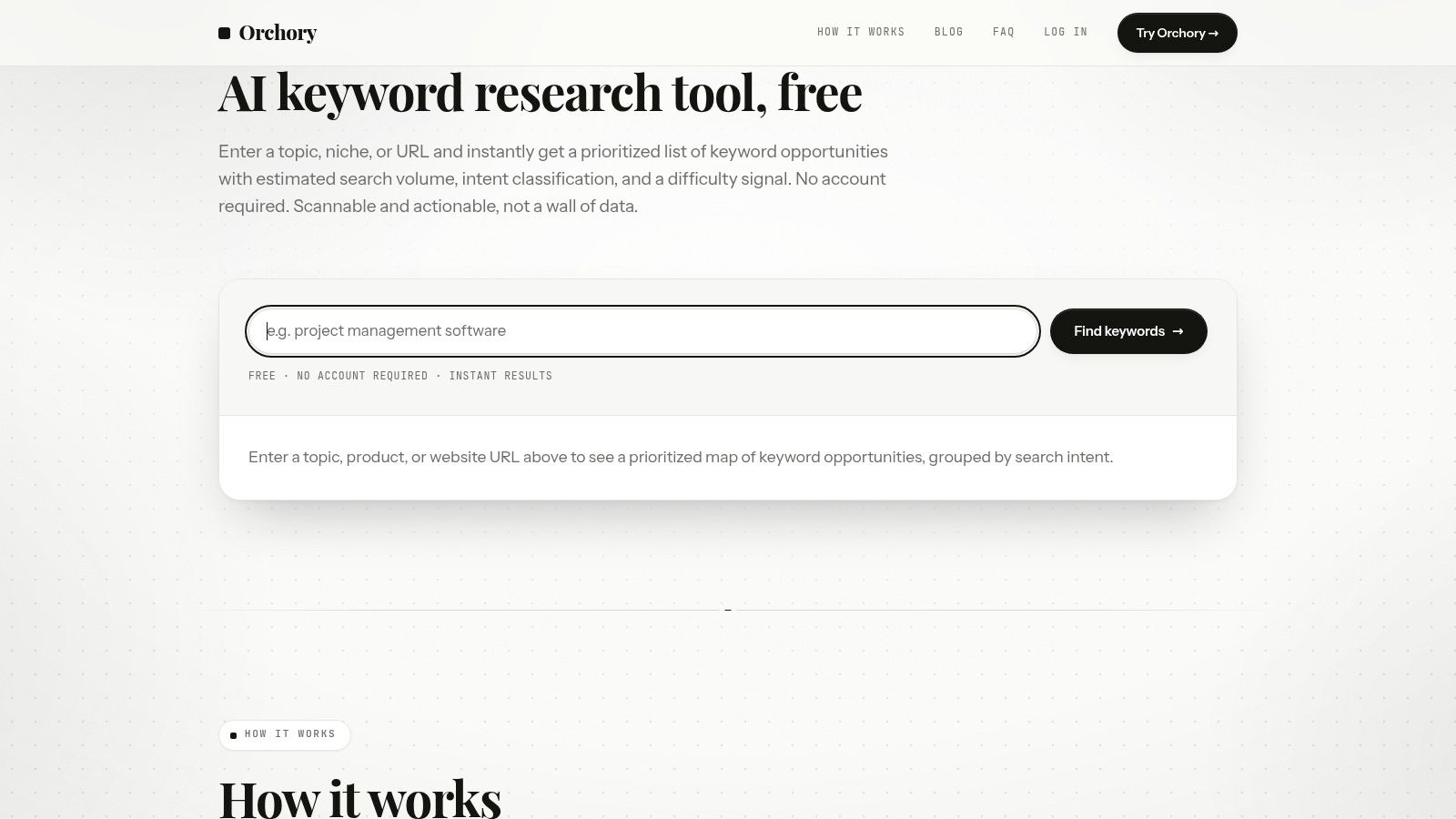
Orchory is the first option here that behaves like a workflow engine instead of a research console. It doesn't stop at keyword discovery. It runs expansion, clustering, scoring, and intent mapping, then turns the output into a prioritized queue of page opportunities that can be handed to a coding agent as ready-to-run prompts. That matters if your team thinks in repositories, pull requests, and review cycles rather than in content briefs. The product lives at Orchory, and the internal workflow guide is in SEO for Developers.
How it changes the workflow
The most important difference is that Orchory treats keyword research as an execution pipeline. You start with a business context, then get a ranked list of opportunities with search intent mapping and estimated impact. That means fewer subjective debates about what to write first, and fewer handoffs between research, writing, and implementation.
This fits teams that already use coding agents like Claude Code or Cursor. Orchory outputs prompts those agents can use directly, so the next step is not "summarize this brief." The next step is "open a PR." That shift removes a lot of the hidden labor that usually sits between SEO analysis and shipped pages. For teams building around agent workflows, the handoff patterns in SEO tasks you can automate with AI agents are a useful reference point for how that pipeline can be run in practice.
The model also matches how search work is changing. There's more AI-mediated discovery, more zero-click behavior, and more pressure to build pages that align tightly with intent. A pipeline that ranks opportunities and converts them into tasks is more useful than a dashboard that just shows you more keywords.
Why developers care
The developer value is in the handoff. Orchory produces CSV export for all of the data, so you're not locked into a proprietary workflow. It also doesn't require proprietary integrations, which means you can route the output into whatever codebase, issue tracker, or agent setup you already use.
The pricing is simple too. Orchory is $99/month with no seat limits, which is easier to model for a small team than tool pricing that expands with every user. For a founder, that matters because the tool is effectively part of the build stack, not just a marketing expense.
Practical point: if the output ends in a PR review, SEO becomes an engineering workflow, not a reporting function.
Orchory is not built for casual browsing of keyword data. That's the trade-off. You give up ad hoc exploration and get a pipeline that helps you move from research to implementation with less friction. For technical founders, that is usually the better fit.
Tool vs Agent: A Quick Comparison for Developers
The easiest way to choose is to ask what the software should produce. Traditional keyword tools produce data for you to inspect. An SEO agent produces a plan you can ship. That difference sounds small until you try to hand the output to a developer and realize you've got a spreadsheet, not a task.
When to choose a tool
Use a tool when the team still needs raw visibility into the market. Ahrefs and Semrush are better when you want broad keyword discovery, SERP inspection, and competitor analysis. If you are weighing research depth against code handoff, compare Orchory with Ahrefs on the output each workflow produces. WriterZen is better when the main problem is clustering and organizing the content plan. LowFruits is better when the goal is finding weak SERPs and early wins.
Those are all valid jobs. They just stop short of implementation. If your process includes a writer, an SEO lead, and a developer, the tool can still be enough because people are available to translate the data.
When to choose an agent
Use an agent when the missing piece is execution. If your team already knows the audience, the product, and the page type, the hard part is not research. The hard part is turning the research into a build queue with intent mapping, priority, and a usable prompt. That's the gap Orchory is built to close.
The broader workflow change matters here. Modern guidance increasingly treats keyword research as a loop that pulls from support logs, forums, and AI-native surfaces, then validates opportunities before they get prioritized (AI keyword discovery guidance). That is much closer to an agent workflow than a static SEO dashboard. It also reflects a real problem with underserved topics: the keyword may look attractive but still fail if demand is fragmented or weak (underserved topic analysis).
For technical founders, the decision is simple. If you need a place to inspect data, buy a tool. If you need the output to move into code review, buy an agent or build the missing glue yourself.
Developer test: if you have to copy the same keyword list into three systems, your workflow is already too manual.
6-Tool AI Keyword Research Comparison
| Tool | Core features & USP | Output & workflow | Best fit (target audience) | Pricing / Value |
|---|---|---|---|---|
| Ahrefs: The Comprehensive Data Source | Massive keyword & backlink database; industry-standard raw SEO data | CSV exports, manual SERP analysis; analyst-driven workflows | Teams with dedicated SEO analysts | $$$ - High (starts ≈ $199/mo) |
| Semrush: The All-in-One Marketing Suite | Broad marketing toolset + keyword DB and AI writing assistants | Dashboard-centric platform; content tools but manual handoff to devs | Marketing-led teams needing multi-channel tools | $$$ - High subscription |
| WriterZen: The Topic Clustering Specialist | Strong AI-powered topic clustering; Golden Score for opportunity | Produces content briefs and cluster visualizations (manual build) | Content teams or founders building topical authority | $$ - Mid-tier |
| LowFruits: The Easy-Wins Finder | SERP analysis for low-competition "easy win" keywords | Simple keyword idea lists; pay-as-you-go exploration | Bootstrapped founders & new sites seeking quick traction | $ - Low / pay-as-you-go |
| Orchory: The SEO Agent for Code Handoff (Recommended) | Full pipeline automation: expansion, clustering, intent mapping, scoring; prompts for coding agents | Ranked opportunity queue + ready-to-run prompts → PRs; CSV & GSC integration; non-invasive PR review | Technical founders & developers at B2B SaaS who want execution without hiring an analyst | $$ - Fixed $99/mo; $19 per extra run; predictable pricing |
| Tool vs. Agent: Quick Comparison | Conceptual distinction: data tools vs. executing agents | Tools = diagnostic data; Agents = executable plans/prompts for automation | Developers deciding whether to own analysis or handoff execution | Varies by product / model |
Your Next Step: Choose a Workflow, Not Just a Tool
The best ai keyword research tool is the one that matches how your team ships. If you need a deep data source, Ahrefs is still the heavy-duty option. If you want broad marketing coverage, Semrush is easier to live with. If you care about clustering, WriterZen is strong. If you want low-competition openings, LowFruits does that job well. If you want the research to turn into a developer-ready queue, Orchory is built for that.
The decision shouldn't start with features. It should start with the last mile. Ask what happens after the keyword is found. Does someone manually sort it into a brief, or does it become a prompt that a coding agent can turn into a pull request? For a bootstrapped SaaS team, that question matters more than another analytics view.
A workable process is simple. Start with a seed term, validate the intent, group the opportunities, then ship one page at a time. Keep the scope small enough that you can review the output in Git, and use Google Search Console to see whether the page starts pulling impressions and clicks. That's the difference between a research project and a system.
The main mistake is buying software that only solves the discovery step. Discovery is cheap. Execution is what burns time. If your team can already build pages, pick a workflow that feeds that capability instead of interrupting it. If your team can't, choose the tool that removes the most manual translation between keyword and pull request.
If you want an SEO system that fits how developers work, Orchory gives you keyword expansion, clustering, scoring, and ready-to-run prompts in one pipeline. It's built for teams that want to review PRs, not stare at dashboards. Visit Orchory, run a keyword pipeline, and see how fast your next search opportunity can turn into shipped code.
FAQs
What makes a tool the best ai keyword research tool for a developer-led team?
Is Semrush good enough for a technical founder doing SEO alone?
What is WriterZen best used for?
When should I use LowFruits instead of a full SEO suite?
How is Orchory different from a traditional keyword research tool?
How much does Orchory cost?
Should I buy a keyword research tool or an SEO agent?